In the world of cryptocurrency, your digital assets are only as safe as the tool you use to store them. There are many options when it comes to crypto wallets, including Trust Wallet, a free, self-custody crypto wallet. Unfortunately, scams targeting Trust Wallet are a valid concern for users.
In December of 2025, hackers breached the Trust Wallet Chrome extension to access wallets, leading to a loss of around $7 million. The incident left many users wondering, “Is Trust Wallet safe?” In this report, we’ll take a deep dive to find out.
Is Trust Wallet legit or a scam?
Yes, Trust Wallet is legit. However, users can still lose funds on Trust Wallet by falling victim to scams or security flaws. Here are a few features of Trust Wallet:
- Self-custody: You control your own wallet’s private keys and recovery phrases.
- Security: Trust Wallet regularly conducts audits and monitoring to reduce vulnerabilities.
- Irreversibility of transfers: Crypto transfers can’t be reversed once completed, and there are no options for traditional chargebacks, even through customer support.
- Scams: Individual users are vulnerable to fake apps, phishing, and wallet drainer scams.
Trust Wallet scams aren’t uncommon. In fact, crypto wallets have become a valuable target for scammers. Chainalysis estimates that crypto scams across the industry reached around $14 billion in 2025 alone, up from $6 billion in 2020.
What user reviews and complaints show
When it comes to user opinion, Trust Wallet doesn’t seem to be particularly favored. With a 1.7/5 rating on Trustpilot, negative reviews cite wallet security and customer support impersonators as the main downsides. There are also many complaints about the operation of Trust Wallet itself, including missing funds, delayed swaps, and unexpected fees.
However, these are all individual, unverified accounts of Trust Wallet users. So, while they might indicate the quality of service, they’re not proof that Trust Wallet itself is fraudulent.
Types of Trust Wallet scams
Trust Wallet scams occur when fraudsters try to steal cryptocurrency by tricking wallet owners into revealing recovery phrases or approving fake transactions. As a self-custody wallet, scammers don’t target the wallet itself but its owners.
Trust Wallet Scams target users through phishing, fake support, and fraudulent NFTs to gain access to their funds. Here’s how they do it.
Phishing emails, texts, and fake verification alerts
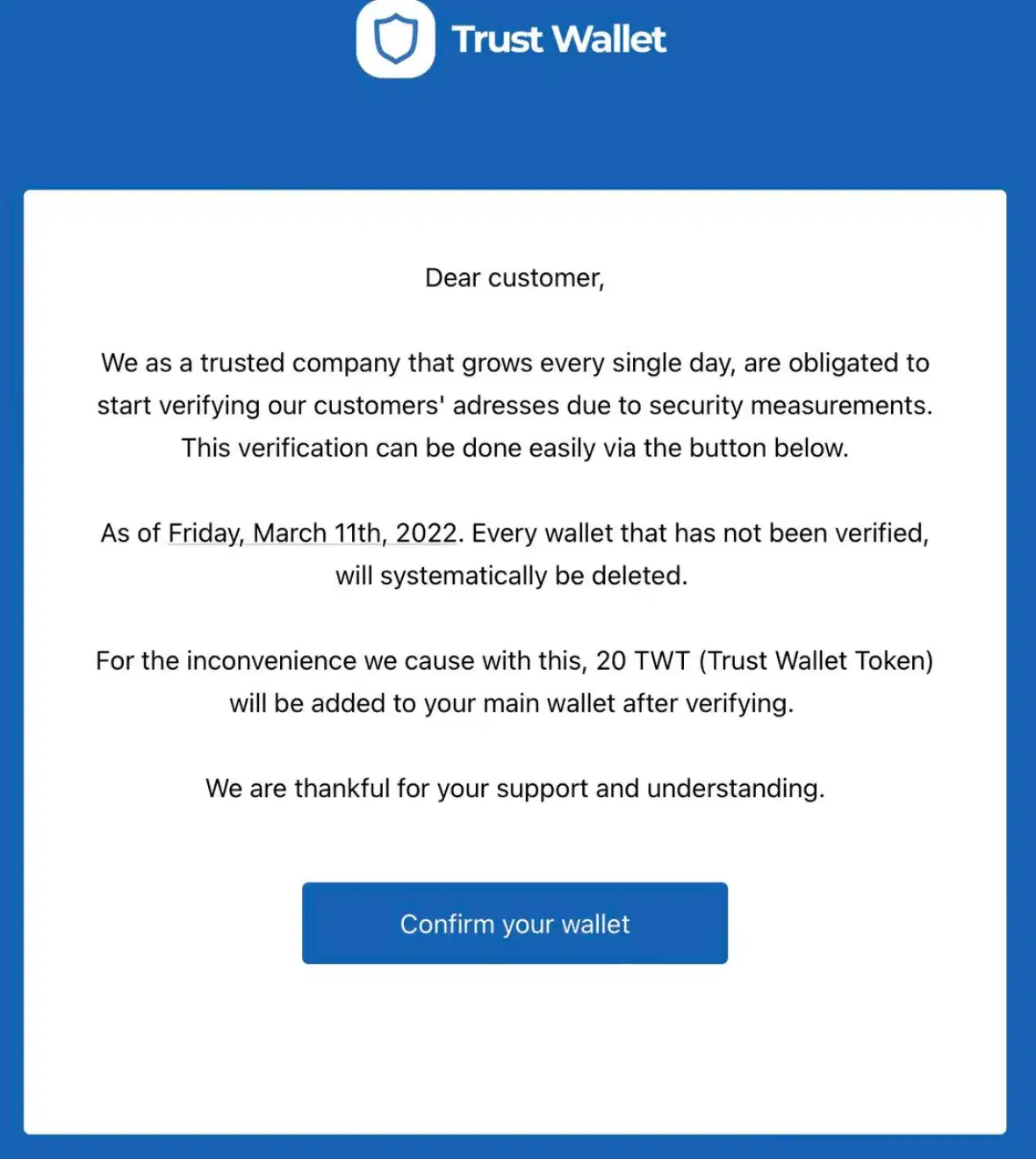
Trust Wallet email scams typically claim that your wallet needs additional verification, or they threaten to lock your account due to suspicious activity unless you act immediately. For example: “Urgent: Verify your wallet within 24 hours.”
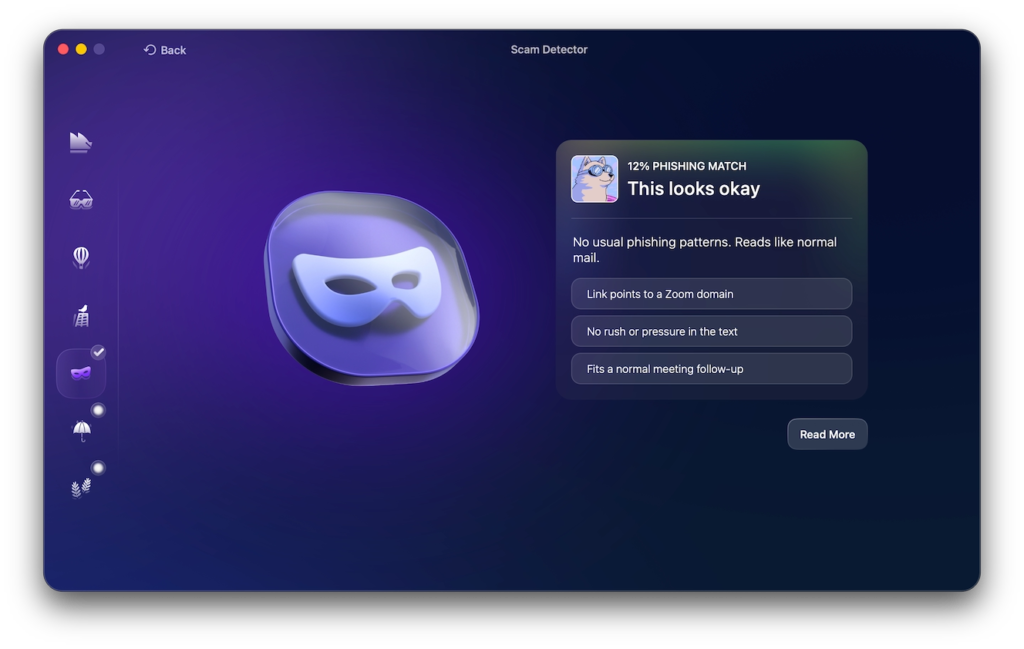
You can often identify fake emails through misspelled domains, generic greetings, and awkward sentences, although AI is making this more challenging. If you’re ever unsure, you can use Moonlock’s Scam Detector to analyze the suspicious text for you.
Available with a 7-day free trial of Moonlock, it can flag suspicious phrasing commonly used in phishing and scam emails. You should also always verify messages and wallet notifications directly through official Trust Wallet support, never through any links or phone numbers in the email.
Fake apps, browser extensions, and lookalike websites
Scammers also spread fake Trust Wallet apps that can steal funds through malicious code or deceptive wallet connections. They aren’t always easy to distinguish from the real deal, but there are 6 things you should check before installing:
- Publisher identity
- Linked to from the Trust Wallet site
- Download source and user reviews
- Requested access permissions
- Domain spelling
- Update history
In 2024 research by Check Point Research into wallet drainers, they were able to find a fake WalletConnect app that was downloaded over 10,000 times, stealing a total of $70,000 from its users. But while fake apps rely on tricking the user, incidents like the 2025 Chrome extension compromise represented an attack on a legitimate Trust Wallet extension.
Fake support and impersonation scams
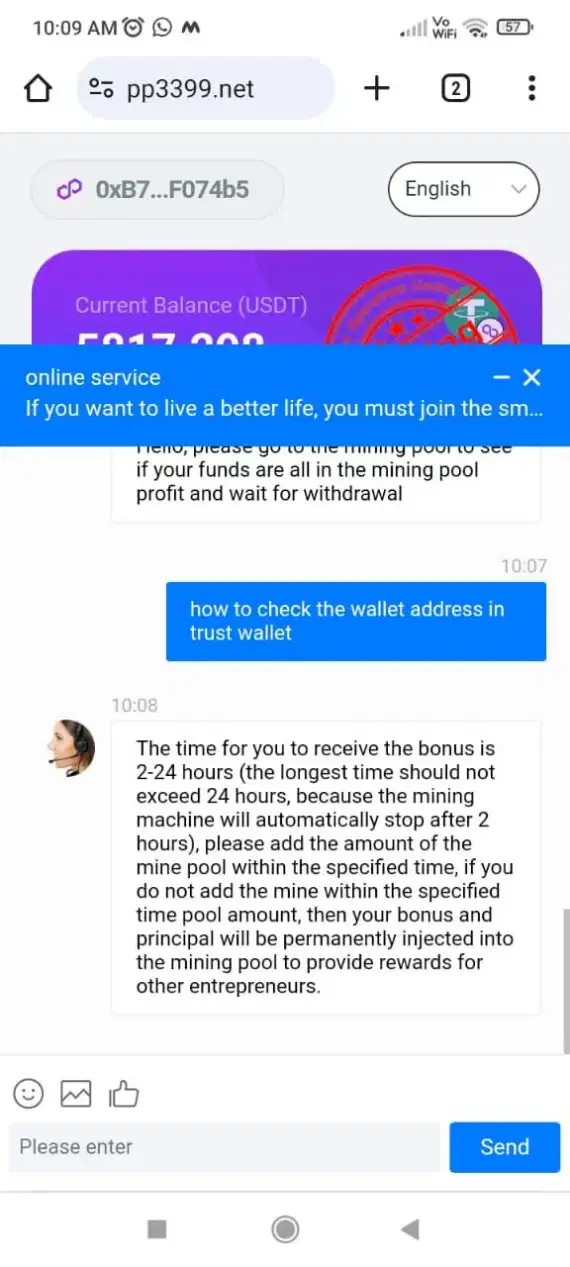
The typical Trust Wallet support scam starts by posting a public help request on the wallet’s online forum. This is followed by an unsolicited DM on WhatsApp, Telegram, or X with the impersonator offering to resolve their issue as a member of the Trust Wallet support team.
They usually create a sense of urgency, claiming a major issue with your account, then requesting a recovery phrase or deposit to fix it, as many have reported on TrustPilot. Legitimate support agents will never ask for your recovery phrases, and Trust Wallet directs users to their official support site for resolving account issues.
Watch-only wallet and phantom Bitcoin scams
Watch-only crypto wallets seem like normal wallets with a public address and a balance, but they’re inaccessible, and you can’t spend their funds. In a Trust Wallet watch-only wallet scam, the fraudster shows the victim a fake Bitcoin balance, usually from a fake balance screenshot, promising access after setup and an application fee, such as $150.
But as soon as you pay, the scammer disappears, along with the money and the fake wallet. This phantom Bitcoin scam exploits users who don’t know the difference between seeing funds and actually controlling them.
Never pay for a wallet setup, and always verify the address through a trusted blockchain explorer like Mempool.space.
Fake airdrops, unsolicited tokens, and NFT scams
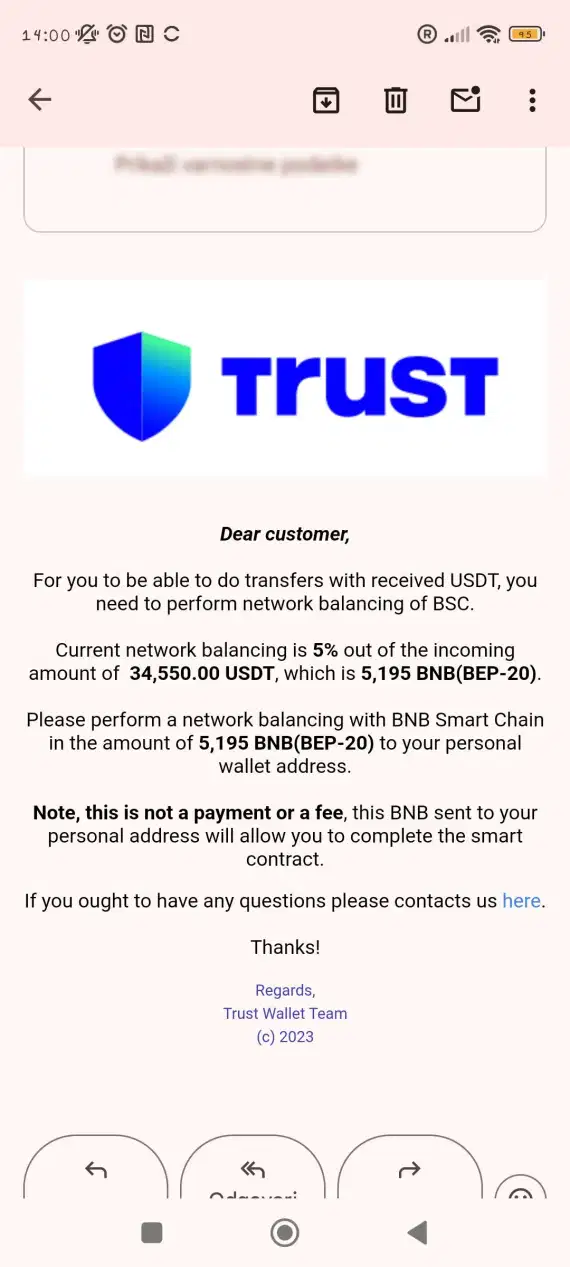
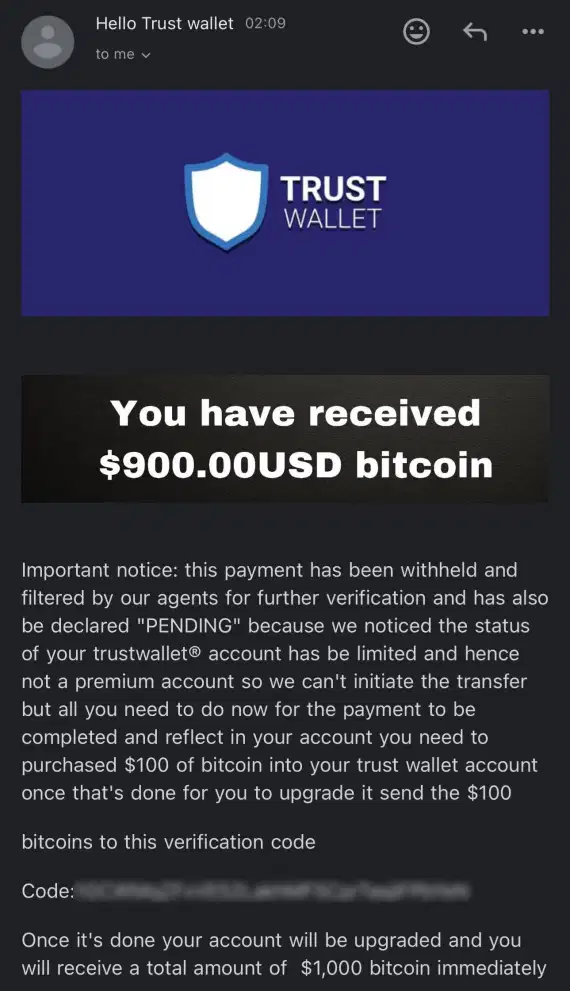
Unsolicited tokens, fake claim sites, and copycat tokens with misleading logos are all signs of a Trust Wallet airdrop scam. Simply receiving a token doesn’t mean that the scammers have access to your wallet, but if you start clicking links and approving transactions, you risk exposing your funds.
Trust Wallet NFS scams and fake mining offers similarly rely on users capitalizing on what seem like excellent investment opportunities. As a rule of thumb, avoid interacting with any suspicious assets and verify contacts’ addresses through services like CoinMarketCap or CoinGecko, and use Trust Wallet’s built-in option to hide and report unsafe NFTs.
Token approvals and wallet drainers
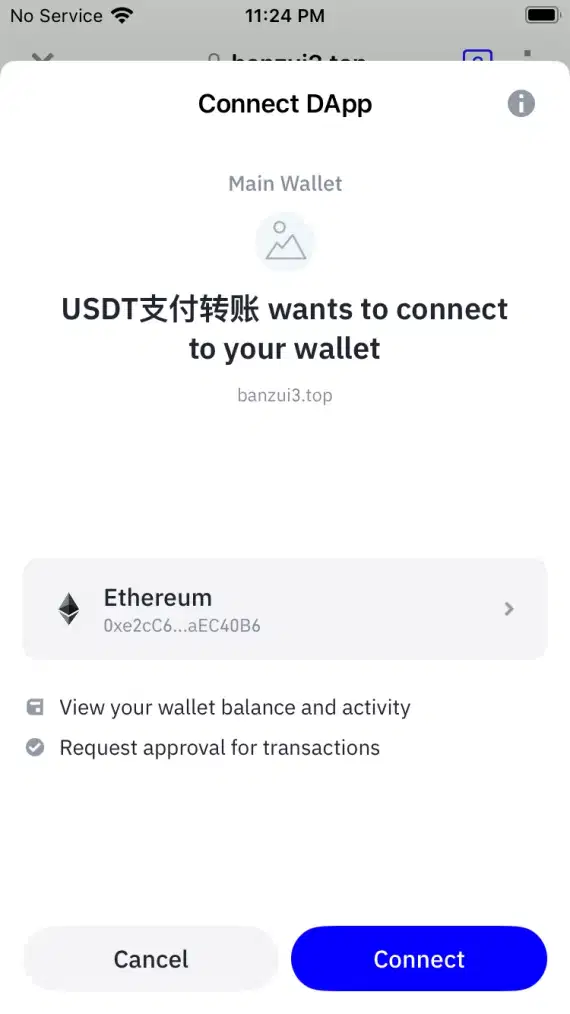
To connect a wallet means granting a site access to your public address, while signing a message processes authorization. This is different from approving tokens, as those are limited to specific tokens, allowing them to be spent.
To reduce wallet drainer risks and avoid malicious contracts with unlimited USDT approvals, review permissions and revoke token approvals using sites like Revoke.cash.
A wallet drainer scam exploits user approvals instead of targeting recovery phrases. It’s important to review every transaction before approving it. Scam Sniffer’s 2024 report found that wallet drainers stole an estimated $494 million from more than 330,000 wallet addresses.
Address poisoning
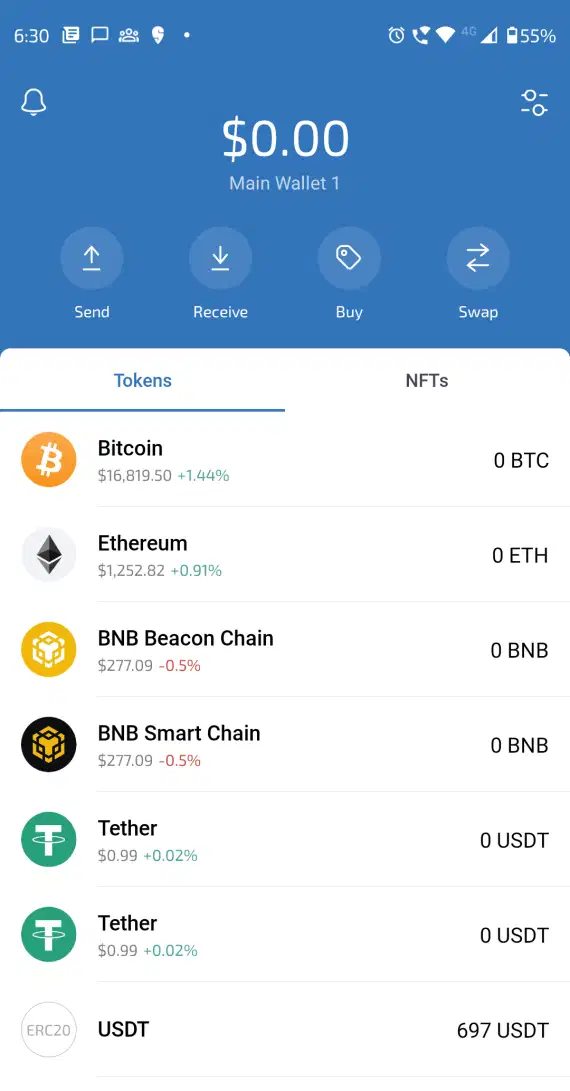
In an address poisoning scam, the attacker sends tiny or zero-value transfers from lookalike addresses to tempt users into copying them. For example, an address “0x1234XABCD” might be mimicked with “0x1234YABCD,” with a single letter change.
With more than 225 million attempted attacks, Trust Wallet recommends that you always take the time to verify the full address using a trusted address book before approving a transaction. A poisoned history of duplicate or zero-value transfers alone doesn’t mean your wallet is compromised.
Activation fee, KYC, and mining pool scams
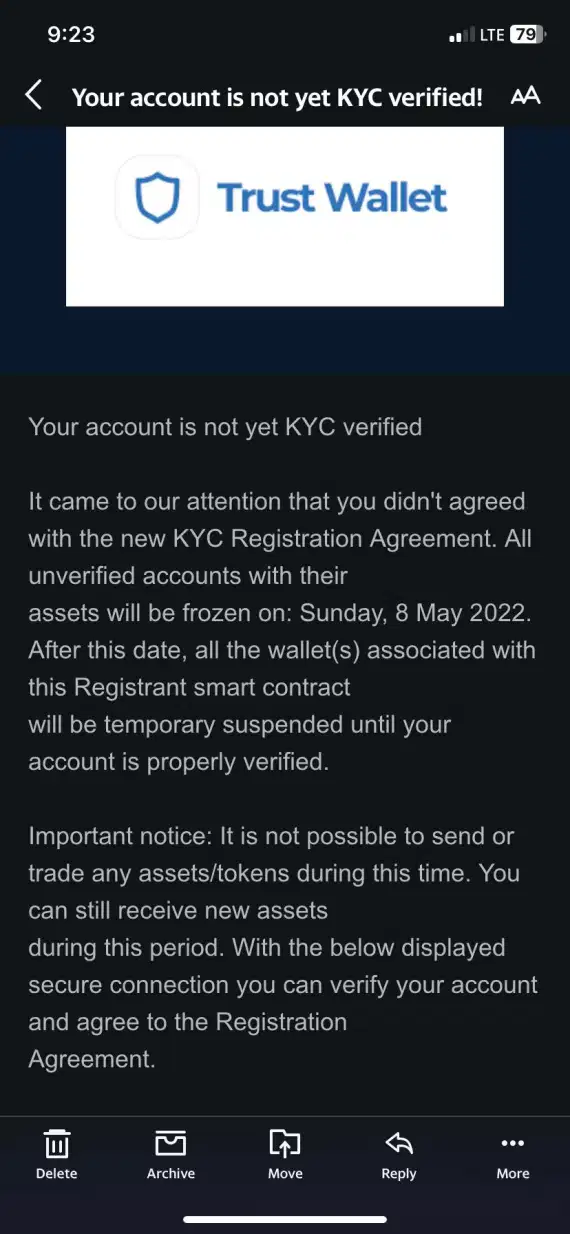
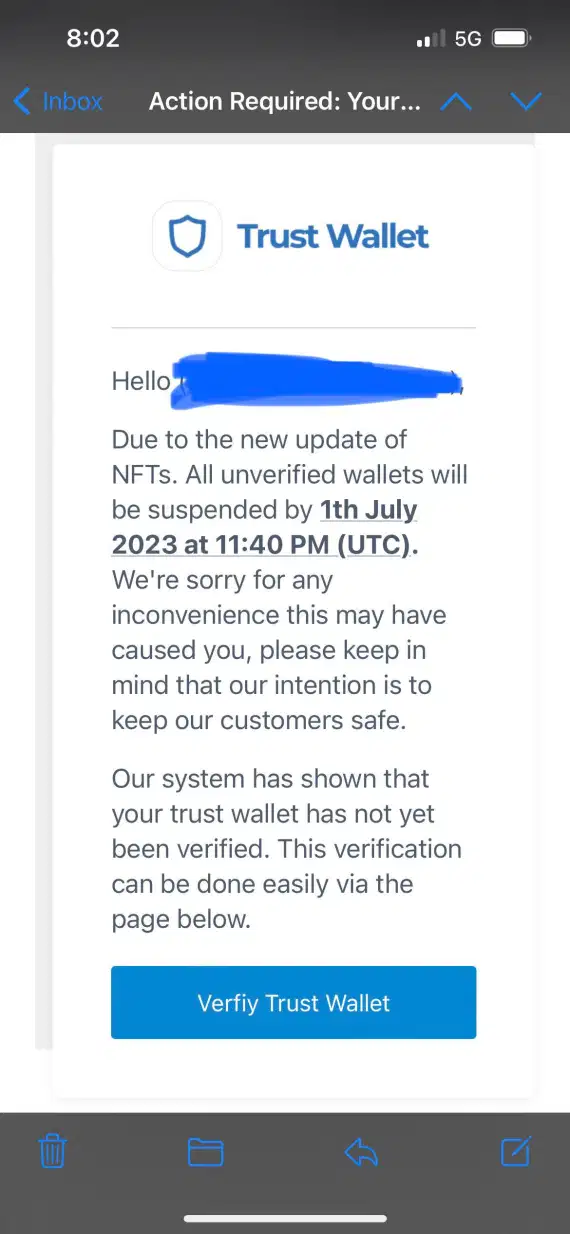
Trust Wallet itself is free to download, with some network and third-party fees. KYC may be required by purchase providers, but not for creating the actual wallet.
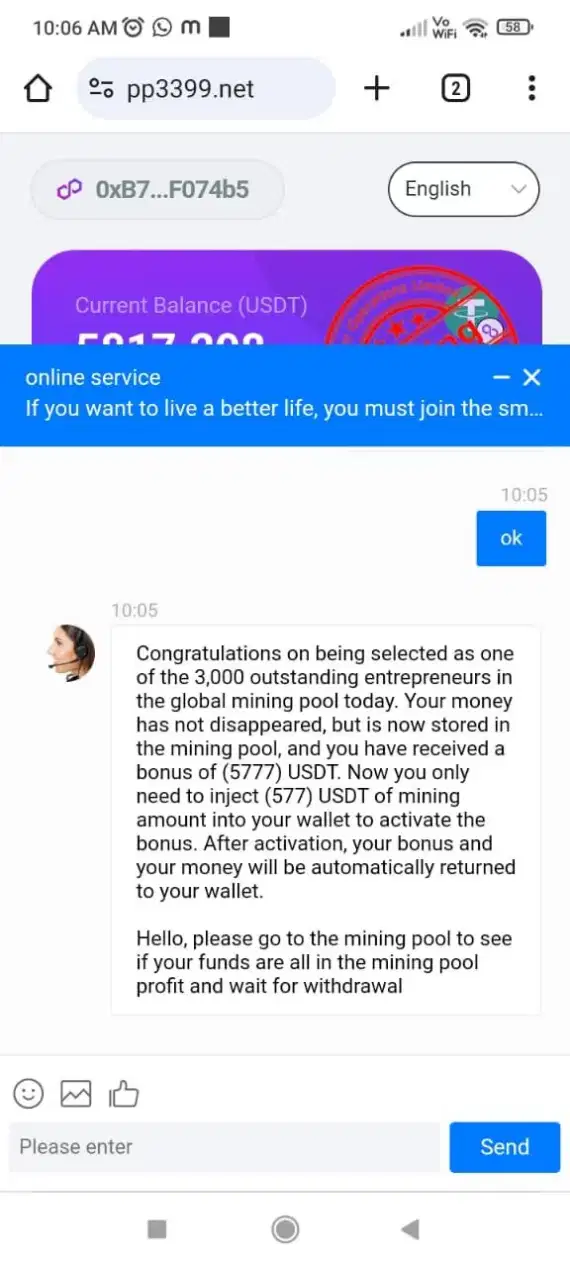
In a Trust Wallet activation fee scam, fraudsters take advantage of this fact by faking liquidity-mining or pool offers to demand a wallet connection, minimum deposit, or extra withdrawal fees.
Treat any promises of guaranteed investment returns and pay-to-unlock demands as huge red flags. These are usually signs of a Trust Wallet mining scam, exploiting typical, everyday procedures to scam you out of your money.
An infostealer was installed on your device
Sometimes, your wallet isn’t even the original target. If an inforstealer was installed on your device, it can quietly harvest saved passwords, active browser sessions, and crypto-wallet data, allowing for account takeover with no obvious signs.
Your best bet at stopping an infostealer is to catch it as soon as it infects your Mac. Use Moonlock antivirus to regularly scan your device for malicious files. Run your first Deep Malware Scan to make sure you’re opening your wallet on a clean device.
PayPal invoice and other payment-app scams
A Trust Wallet PayPal scam is when scammers use a business or seller’s account on PayPal named “Trust Wallet” to send genuine PayPal invoices containing fraudulent claims. The email is unlikely to be flagged by your email client because it actually comes from PayPal servers.
Don’t pay or call the number in the message. Independently check the invoice in your PayPal Activity section. Report this invoice directly to PayPal if anything seems suspicious.
The Trust Wallet Cash App scam is a variant of this scheme, using fake support requests to solicit payments from users.
Deepfake endorsements and fake video tutorials
Scammers can exploit pre-existing recognition and trust of celebrities and influencers by creating AI-generated videos of them promoting fake Trust Wallet validation links. But instead of activating your wallet, this is a Trust Wallet scam where you’re getting your recovery phrases stolen when using these links.
A 2025 Bitget, SlowMist, and Elliptic report documents the dismantling of 87 deepfake scam rings across Asia, many of which targeted Trust Wallets on other Crypto exchanges like Coinbase.
The December 2025 browser extension incident and the scams that followed
It’s up to individual users to protect themselves from scams and social engineering schemes, but the Trust Wallet extension hack was a genuine supply-chain security incident that compromised many Wallet users through no fault of their own.
Here’s how the 2025 attack went:
- December 24: The malicious browser extension v2.68 was released.
- December 25: Trust Wallet issues a fix with version 2.69.
- December 26: Trust Wallet CEO announces that all users who logged into their wallet before Dec. 26 at 11 a.m. UTC were potentially compromised.
- Claims: Trust Wallet initiated a reimbursement process for approximately $7 million in user losses.
- Scope: Only Chrome browser users were affected, not mobile-only users.
Some scammers took advantage of this opportunity to spread fake claim forms to steal recovery phrases from users looking to get their stolen funds back from Trust Wallet.
Warning signs of a Trust Wallet scam
Scammers rely on urgency and fake rewards when exploiting users. Here are a few facts to keep in mind.
What Trust Wallet never does:
- Requests your recovery phrase
- Asks for private keys
- Demands direct deposits to unlock funds
- Guarantees crypto investment returns
- Sends unsolicited support DMs on social media
- Requires payment for customer support
- Asks you to install unknown apps on your device
Common Trust Wallet scam signals:
- Urgent threats of your account being locked or suspended
- Sending suspicious links with misspelled or lookalike domains
- Making fake or unexpected KYC demands
- Unsolicited token links promising rewards for claiming them
- Promising unrealistic bonuses for upfront deposits
- Requesting approval for token-spending access

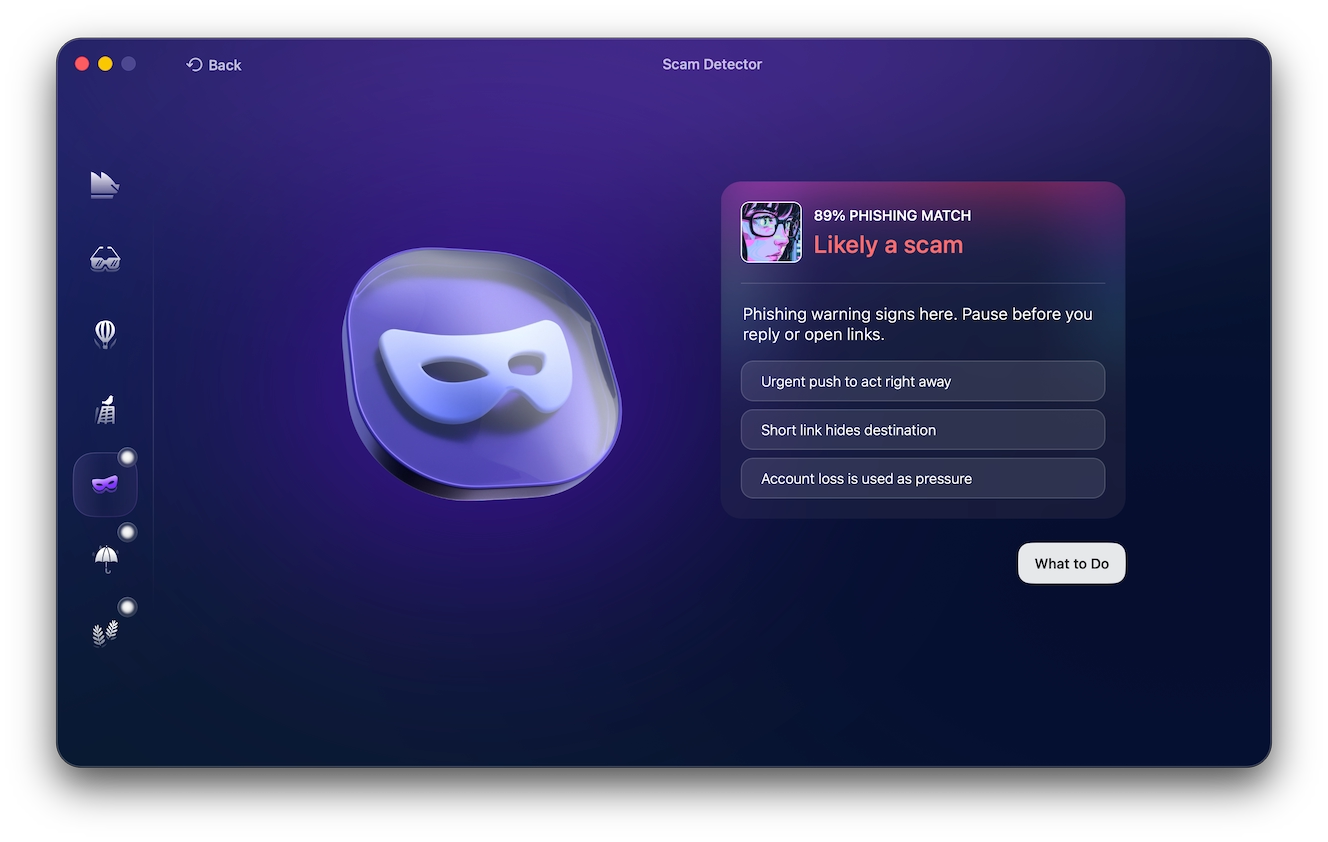
If any Trust Wallet correspondence strikes you as unusual or suspicious, run it through Moonlock Scam Detector before engaging. You can try it now with a 7-day free trial of Moonlock. Here’s how it works:
- Open Moonlock.
- Click Scam Detector from the left-hand sidebar.
- Copy and paste the message into the detector.
- Click Check.
Trust Wallet scam recovery or hack: What to do if your funds are stolen
If you suspect that you’ve fallen for a Trust Wallet scam, act quickly to avoid your funds getting stolen:
- Stop interacting with the suspicious sites, apps, or individuals.
- If your recovery phrase was exposed, create a new wallet on a clean device and transfer the remaining assets to it.
- Revoke any granted approvals using Revoke.cash.
- Save the transaction hash of any sent funds for potential reversal.
- Document evidence with screenshots, messages, and timestamps.
- Check recent transactions using a blockchain explorer and flag suspicious ones.
- Report the incident to official Trust Wallet support.
- Never pay for strangers online promising to recover your wallet for you.
Where to report a Trust Wallet scam and stolen crypto
To report a scam to Trust Wallet, you’ll need to present them with all the evidence you preserved. Here’s how to file a report:
- Contact Trust Wallet through the official support portal.
- Report phishing emails directly in your email client and forward the email to Trust Wallet.
- Include wallet addresses, transaction hashes, screenshots, and URLs in your report.
Lost crypto twice? How fake recovery services target scam victims
Following a major phishing campaign or hack, fake recovery agents begin targeting victims by promising to retrieve stolen crypto for an upfront fee. Be wary of anyone offering guaranteed results, especially if they advertise themselves through unsolicited messages or start requesting recovery phrases and pressuring you into paying with crypto or gift cards.
Trust Wallet scams: Recovery, fake messages, and wallet security
These quick answers can help you avoid Trust Wallet scams in the future.
No. Legitimate customer support agents from Trust Wallet will never ask for your recovery phrase or private keys.
Rarely. Blockchain transfers are generally irreversible, and recovery can’t be guaranteed.
Scammers send unsolicited tokens to lure you into malicious websites. Avoid interacting with them.
Yes. The December 2025 browser extension hack on Trust Wallet caused approximately $7 million in lost funds.
Scammers are known to impersonate support agents through emails and social media DMs. Verify alerts through official Trust Wallet channels.
How to protect your Trust Wallet from scams and hacks
Even though Trust Wallet scams are common, you can still protect yourself from them if you’re cautious:
- Store your Trust Wallet recovery phrase offline and never share it.
- Enable 2FA on linked email and exchange accounts.
- Use a hardware wallet for larger holdings.
- Download the Trust Wallet app only from the official website.
- Verify URLs before connecting to your wallet.
- Verify individual tokens and transactions before signing.
- Use the Trust Wallet Security Scanner to check suspicious addresses.
How to secure Trust Wallet on a Mac against malware
Some fraudsters go beyond simple scams and social engineering tricks, using infostealers like AMOS Atomic Stealer to target browser credentials, session data, and crypto wallet information on Macs. A particularly large-scale macOS infostealer campaign was documented by Microsoft in February of 2026.
Here’s how to ensure that your device is safe to use to access your wallet:
- Install wallet extensions only from official sources.
- Remove unused wallet extensions.
- Keep macOS, apps, and extensions updated.
- Regularly scan your Mac for malware.
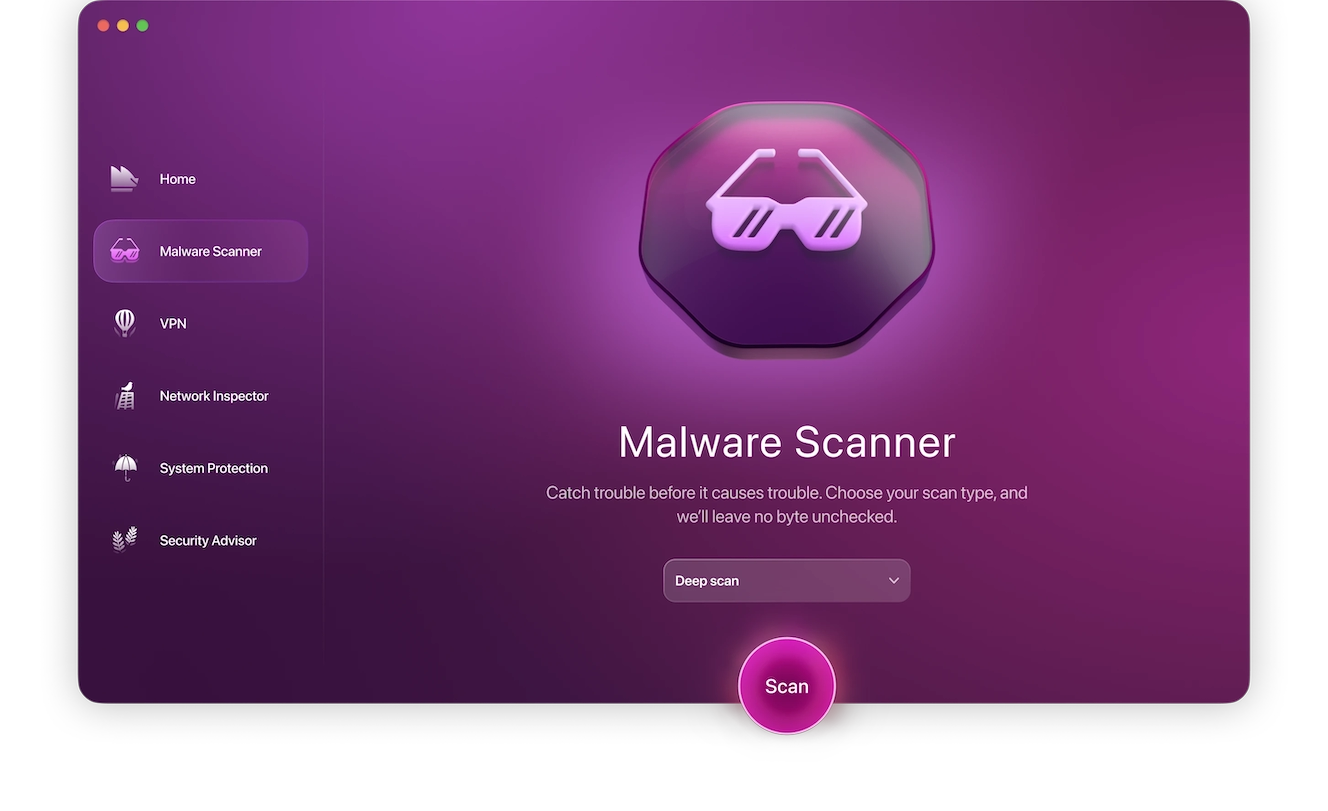
Sign up for a 7-day free trial of Moonlock and run your first Deep scan today:
- Open Moonlock, then click Malware Scanner from the left-hand sidebar.
- From the drop-down menu, select Deep for the scan type.
- Click Scan.
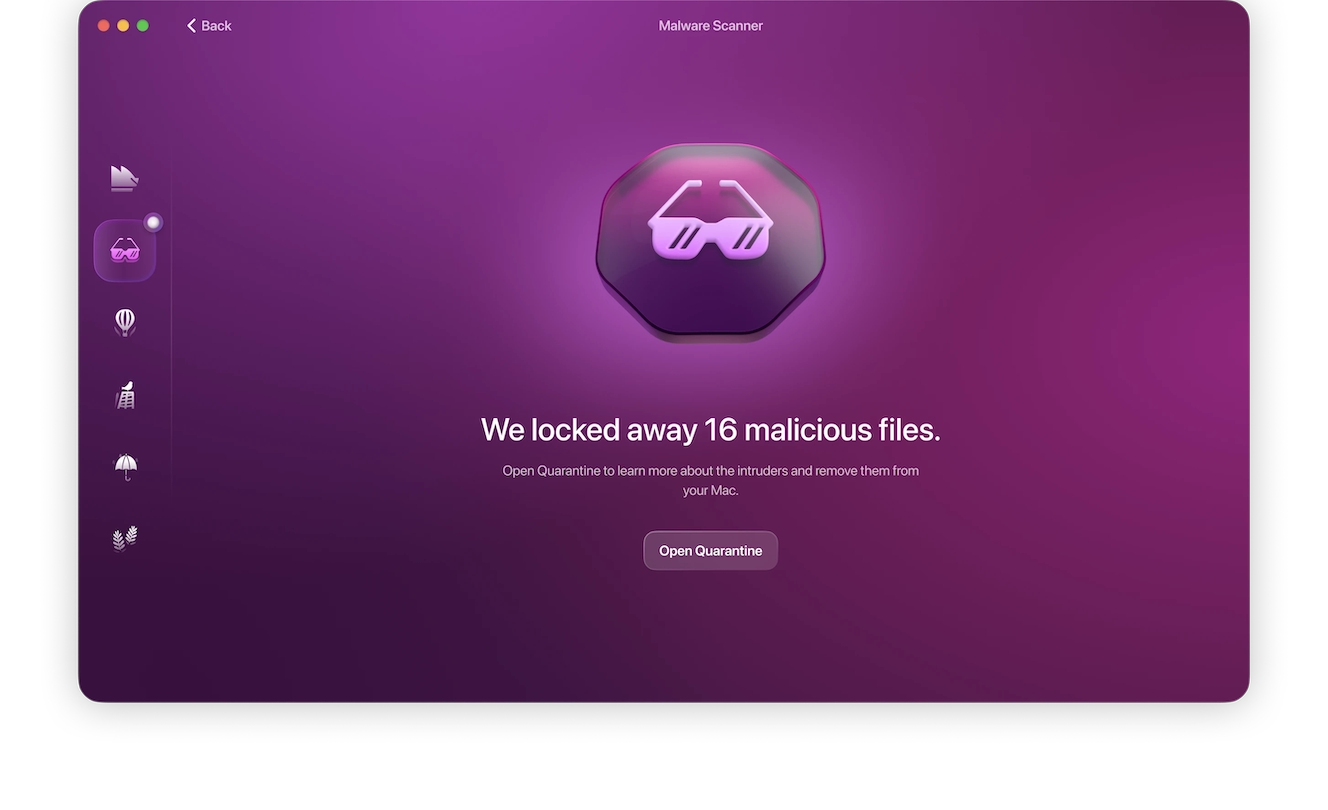
If Moonlock finds anything suspicious on your Mac, it will immediately isolate it and prepare it for safe and complete removal.
The tips above are just part of protecting your Trust Wallet. Always be wary of scammers reaching out via emails or DMs, promising guaranteed returns and quick hacks to riches. With a solid understanding of these scam tactics, red flags, and defense strategies, you can stay safe.
This is an independent publication, and it has not been authorized, sponsored, or otherwise approved by DApps Platform Inc. Trust Wallet is a trademark of DApps Platform Inc.