Fraudulent attempts to impersonate Apple or its support agents have become a popular way for scammers to steal users’ financial and personal information. Apple scams are particularly popular among online criminals because the Apple ecosystem is among the most trusted, with many built-in security features.
In Q2 2026, Apple ranked 4th among the most impersonated brands in phishing attacks, accounting for 5.8% of all brand phishing attempts tracked by Check Point Research, behind Microsoft (23%), LinkedIn (11.6%), and Google (6.7%). Here’s how Apple scams work and what you need to know to stay safe.
Common Apple scam tactics and how they work
Learning how some of the most common Apple support scams work is the best way to stay safe while using your Apple ecosystem. Here are a few to watch out for.
Apple Support scams

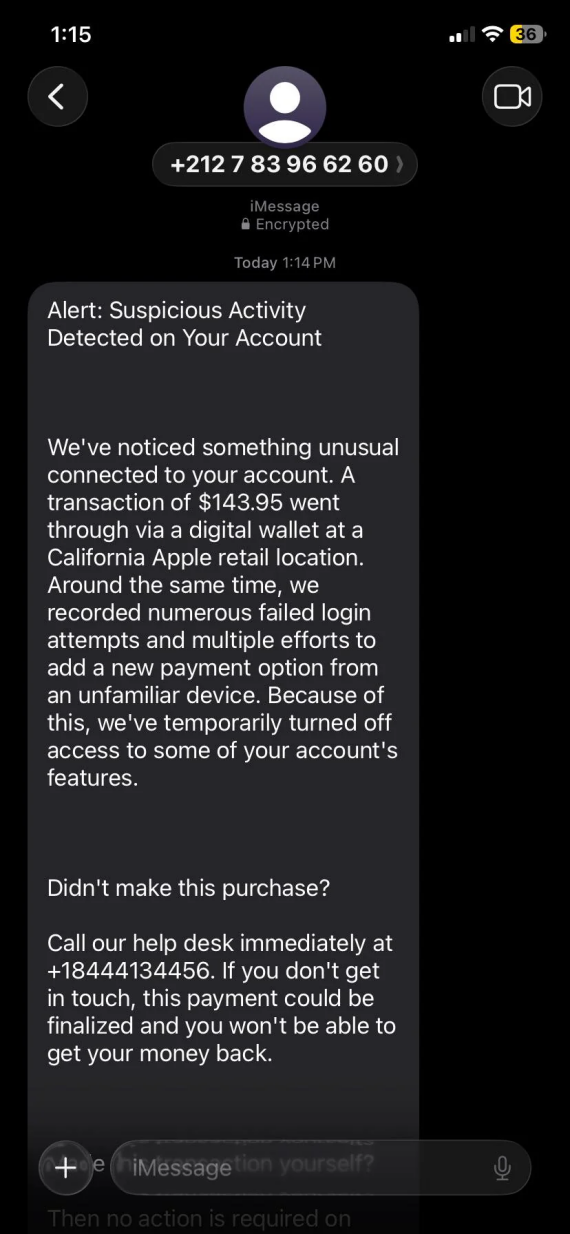
The Apple support scam is one of the most common phishing schemes targeting Apple users. This type of scam typically begins with an unsolicited call or voicemail where the Caller ID appears as “Apple.”
If you answer, the caller will claim that there’s an issue with your iCloud account or your Apple Account. In some cases, they might lie about a recent data breach or suspicious activity to create urgency around their request. Once they get you hooked with the initial scam, the next step is usually a human handoff.
The scammer isn’t just warning you of the danger; they’re here to help you. They’ll offer to “Secure” your account, typically by asking for remote access to your Mac or iPhone or by requesting that you share your login credentials with them. Sometimes, they might demand payment for their services through Apple gift cards, wire transfers, or P2P payment apps.
Apple specifically warns that legitimate support agents will never ask for passwords or codes over the phone, nor will they demand payment for this type of service. Even phone numbers that look legit can be spoofed by the scammers.
Recently, there have been many phishing attempts using real support tickets to trick users into handing over their Apple Accounts. The scammers exploit a flaw in how Apple Support works, which allows anyone to create a legitimate support ticket for any Apple customer without needing to verify the request.
When contacting you, the scammer will quickly try to establish themselves as a trustworthy authority figure who knows what’s wrong with your account and how to fix it. They’ll say something like: “This is Apple Support. We’re contacting you because we detected unauthorized access to your iCloud account. Please stay on the line while I connect you with our security specialist to have this sorted out for you.”
So, is there a scam going on with Apple Support right now? In June, 2026, Apple itself warned users against social engineering scams impersonating its support agents through calls and voicemail, providing tips and advice on how to avoid them.
As of 2026, AI tools have made phishing scams much harder to notice at first glance. Polished messages and a lack of spelling or grammar errors aren’t a sign that the message is legitimate. Always treat any communication asking for access or personal data with a level of healthy suspicion.
Apple phishing emails
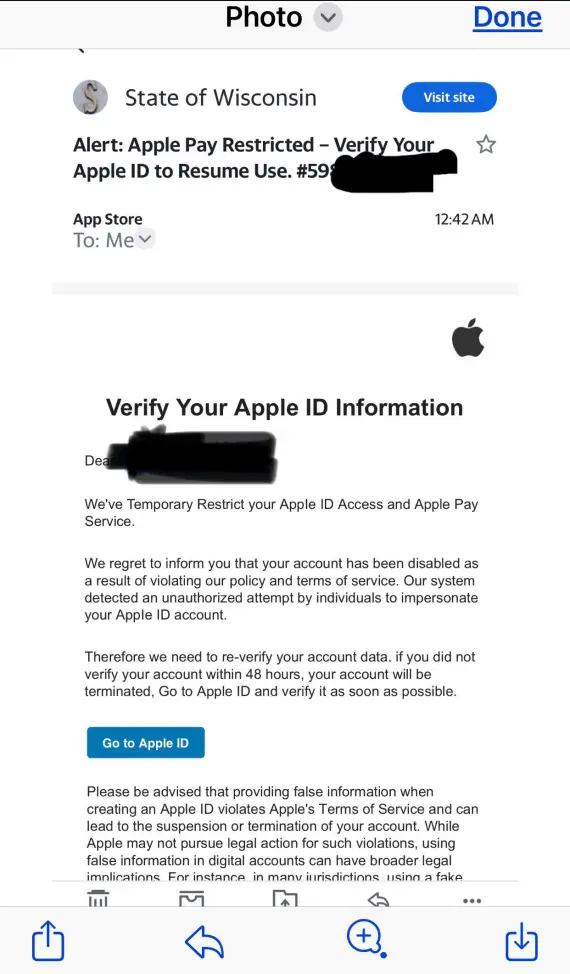

Scammers also frequently impersonate Apple through emails. Apple phishing emails often reveal themselves through a sender-domain mismatch or poorly structured text and logos.
Legitimate Apple Support emails come from the official apple.com domain, and Apple emphasizes that any emails containing billing information for the App Store or iTunes can be cross-verified in your app’s purchase history.
One notable red flag to keep an eye out for is the demand for payment through Apple Pay or Apple Cash in an email. You can also tell a scam from a legitimate email based on how it’s worded, as Apple Wallet scam emails tend to use generic greetings and offer limited information in the email itself, urging you to click on a link to learn more.
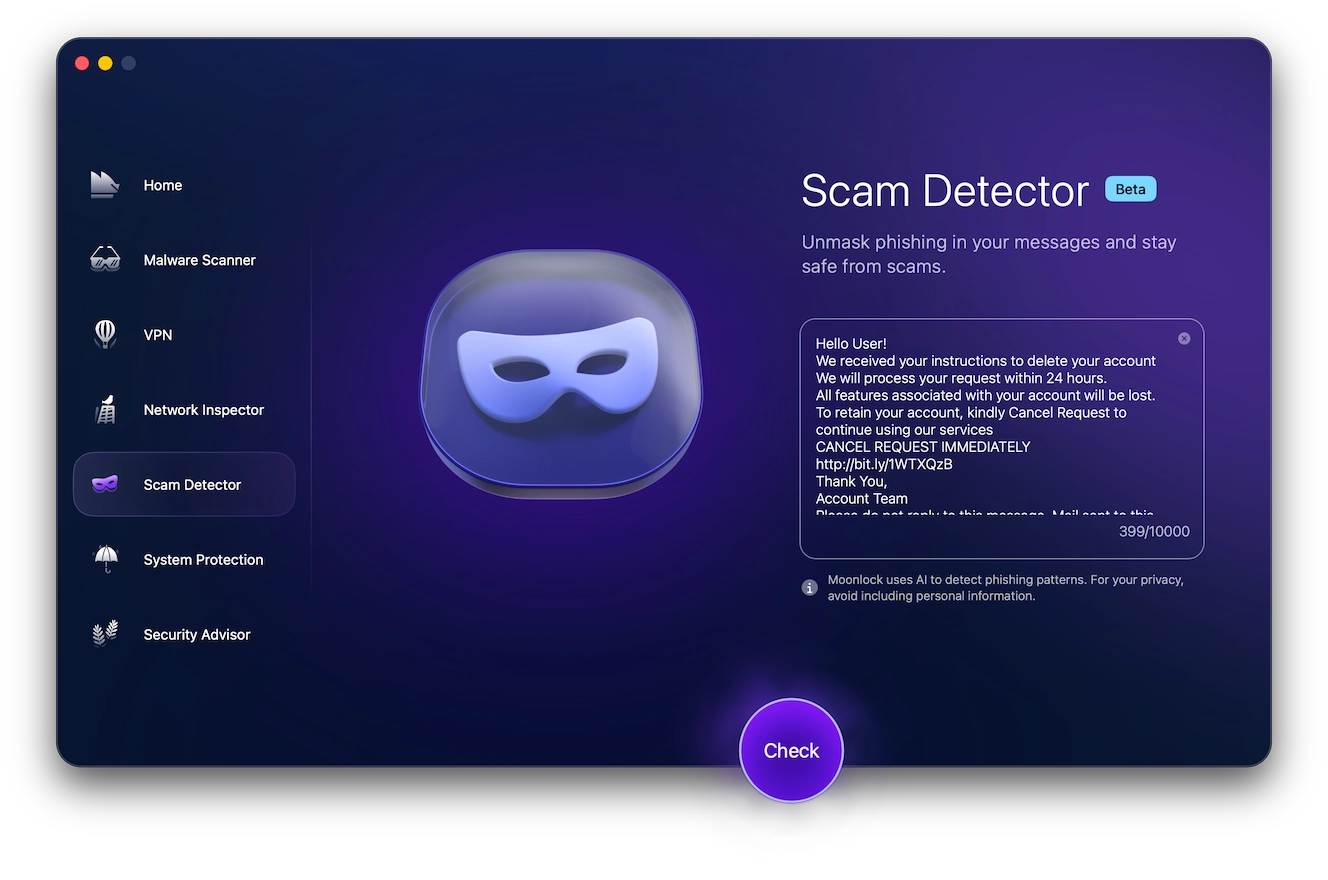
Moonlock’s Scam Detector provides an additional layer of scrutiny when an “Apple” email just doesn’t sound quite right. It can help you assess the likelihood of an email being a phishing attack and give you advice on what to do next to stay safe. Try Scam Detector for free and check suspicious messages before you click.
Fake receipts for a purchase
An Apple email scam may involve a message with a fake receipt claiming that you bought an expensive app or device, giving you the option to “cancel” it through a link. They’ll give you a small window of time to cancel the purchase before the charge is permanent. This is meant to push you into clicking on the link instead of verifying the purchase history directly.
Account-lock warnings
These emails claim that your Apple Account will be or has been locked due to suspicious activity. They claim the solution is to immediately verify your identity via the link in the email. However, if you click on the link and log in or give your payment information, you’re giving the info straight to the scammers.
Subscription scams
A subscription scam email may claim that an Apple subscription is renewing soon, and you need to cancel it now to avoid being charged. Clicking the cancellation link in the email will take you to a fake login page designed to steal your Apple Account credentials.
Apple text message scams and iMessage phishing
Apple text message scams can arrive through SMS, MMS, RCS, or the iMessage app. The sender ID will be slightly different depending on the service. However, Apple warns that scammers can spoof the sender ID to make messages appear to have come from them or a legitimate company.
One particularly common Apple Pay scam text claims that there’s been an unauthorized purchase or Apple Pay charge made on your account, requiring your immediate attention. It may say something like, “Apple Security: Unauthorized $329.99 Apple Pay charge detected. Case #A48217. If you don’t recognize this transaction, please verify your account within 30 minutes: [LINK].”
Apple advises that users manually check all purchase claims directly in the Apple Wallet. This bypasses the possibility of clicking malicious links in messages.
Browser pop-up scams and fake warnings
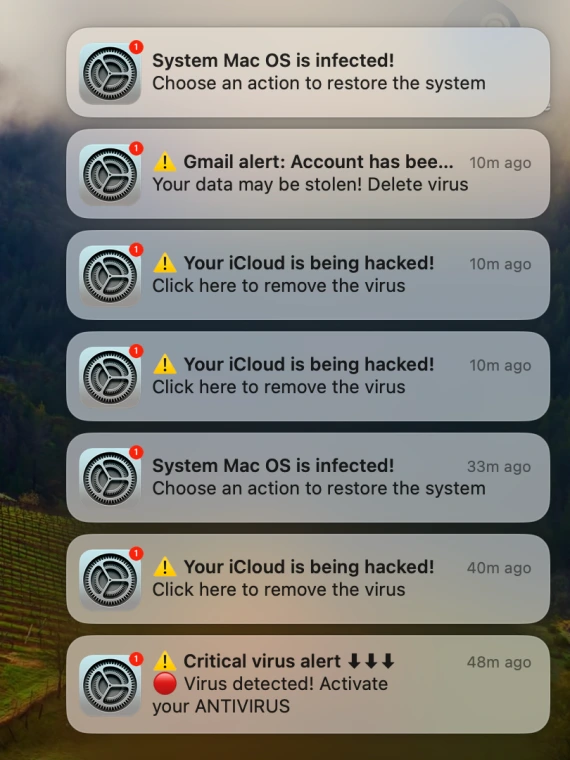
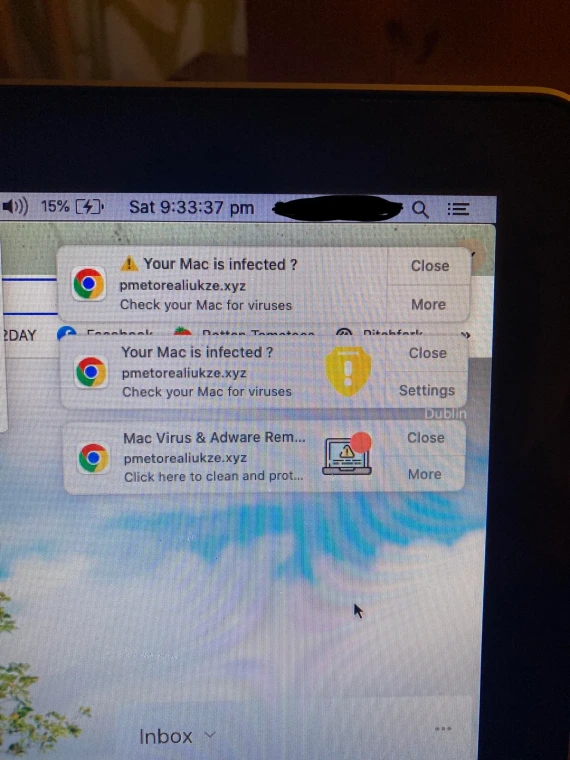
Phishing attempts aren’t limited to emails and phone calls. Fake Apple security alert pop-ups claiming that your Mac is compromised are another known Apple-impersonation tactic.
These alerts mimic actual system warnings in their design and wording. They often use alarming sounds and countdowns to urge you to click a link or install software. For example, the 2026 Apple High Alert scam used a series of fake warnings across pop-ups, emails, and phone calls, all using the same tricks:
- Urgent demands for passwords or payment
- Suspicious-looking URLs
- Instructions to install remote-access or anti-malware software
Fake iCloud storage full scams


These mimic the very real and routine “storage almost full” alerts from Apple, claiming you need to act immediately to avoid losing the files stored in your iCloud. Sometimes, they offer free additional storage or a discount on usual iCloud prices.
Clicking on the link leads you to a fake Apple Account login page requesting some variant of your password or payment information. Apple states that your genuine storage status can be checked in your iCloud app or through iCloud.com.
Apple gift card scams
Scammers like to demand gift cards as payment from their victims. In most cases, they’re impossible to reverse once they’ve been redeemed. The same applies to Apple gift cards.
In many cases, a fraudster tricks you into sending them Apple gift cards as a form of payment for something entirely unrelated to Apple products or services. It could be a past-due utility bill, tax debt, or a variant of a romance scam. Whatever the case, it will be an urgent request for money. And if they can’t appeal to your goodwill, they can resort to fear. The request may be accompanied by a threat.
Never comply with these requests. If you receive one, immediately report it. An official-looking email demanding payment via Apple gift cards can be reported by forwarding the email to [email protected].
Fake Apple Store, purchase, and billing scams


Unlike broader phishing campaigns, Apple Store scams include fake invoices or unexpected charge alerts. They are usually for exorbitant amounts, designed to trigger a panic response. Such a message might claim: “Apple Store: $1,249.99 purchase confirmed. Case ID: #AP76349. Dispute this charge: [LINK].”
The link or phone number leads to the scammers instead of legitimate Apple employees. If you take the bait, they will attempt to steal your payment or personal information.
Apple will never send a dispute link or phone number via text for a real charge. Check your purchase history directly in your Apple Pay app or your bank app.
Fake Apple device and product scams
When buying new or secondhand Apple products from third-party marketplaces, you always risk buying a counterfeit device, like fake AirTags, fake Apple Watches, or even fake subscription services like a fraudulent AppleCare+ policy.
Always check the device’s serial number and AppleCare status through Apple before paying.
Apple Account and general scam calls
Be wary of generic text messages or robocalls that claim unusual activity in your Apple Account and urge you to verify your identity through a provided link or number.
Apple will never contact you unprompted about account or technical issues. When in doubt, check your account activity directly through the official site. This can help you avoid having your Apple ID hacked.
How to spot any Apple scam: Red flags checklist

When you’re used to trusting communication and notifications from Apple, it can be difficult to doubt every email or text message you receive. That’s especially the case when scammers go out of their way to make their impersonation of Apple immaculate.
In this case, you’ll need the help of a specialized Scam Detector, like the one built into Moonlock. Here’s how it works:
- Sign up for a 7-day free trial of Moonlock.
- Open the app. Click Scam Detector on the left.
- Copy and paste the suspicious text/email into the detector or take a screenshot.
- Click Check.
Moonlock will analyze the message for patterns of Apple scams. It will then provide a rating on the likelihood of a phishing attempt, letting you know whether you can trust it or not.
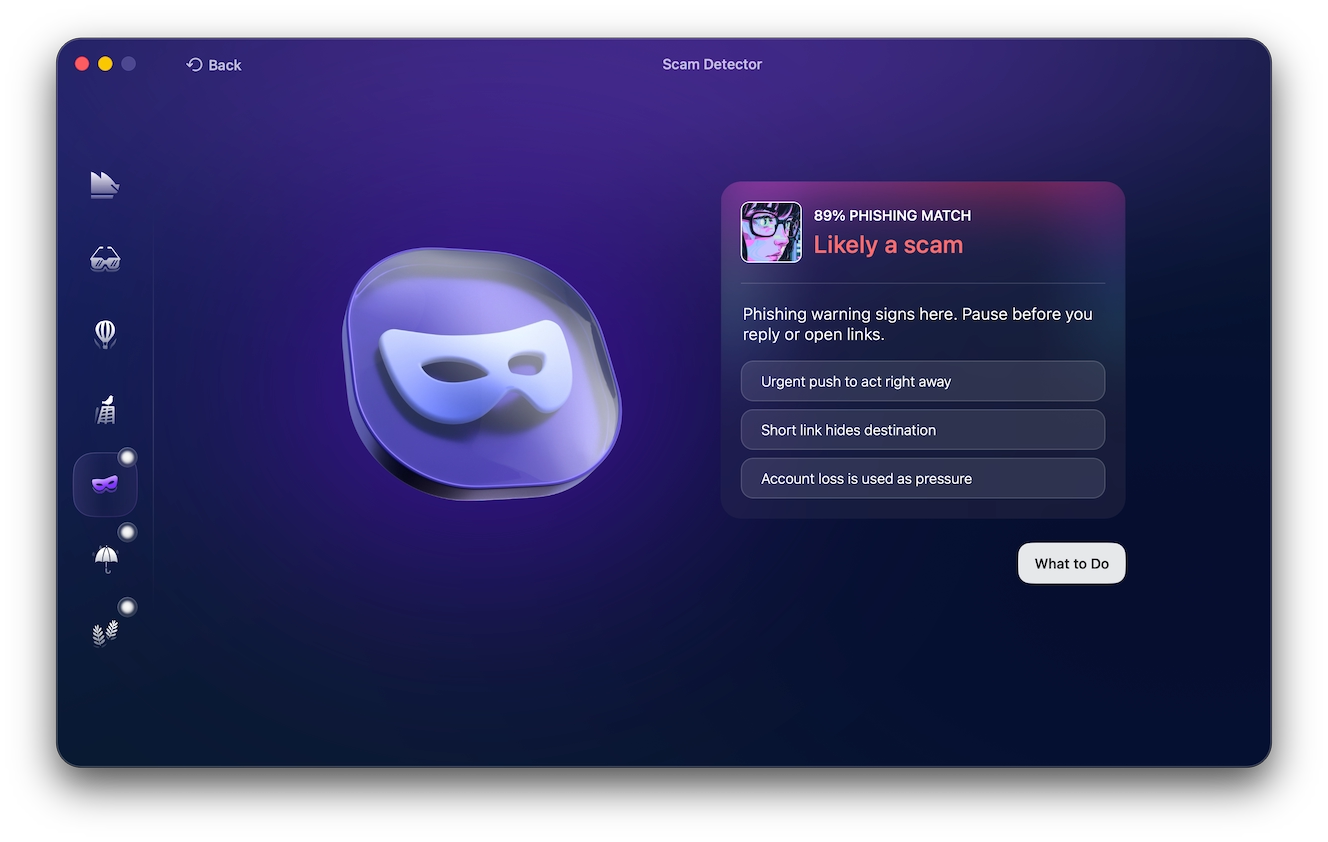
Additionally, you can learn to detect some of the more common Apple scam red flags yourself, such as:
- Unexpected contact: A scam often begins with an unsolicited email, call, or text message. This is especially noteworthy if you haven’t been facing any problems with your account.
- Urgency: The message may claim that your account will be locked or your Apple Pay account charged. The message will pressure you to act immediately.
- Suspicious sender: The email address or phone number doesn’t match the official Apple addresses.
- Requests for information: Requesting passwords, verification codes, or financial information. Never share such information with online support agents.
- Payment demands: In an Apple gift card scam, fraudsters usually demand payment through irreversible methods like gift cards, crypto, or P2P payment apps. Apple will never ask for payment for customer or technical support services.
- Pressure to click: The sender may pressure you to click on a link or download an attachment. These will lead you to a fake login page or install malware on your device.
- Requesting remote access: They may instruct you to install remote-access software. This will grant them complete access to your device.
- Pressure to bypass verification: Scammers will discourage you from double-checking their claims through Apple’s official channels.
How to recover after falling for an Apple scam
You’ll need to act quickly to re-secure your Apple account to limit further damage. Follow these steps:
- Secure your Apple Account: Change your password and enable 2FA through a trusted device.
- Contact your bank: Report any unauthorized transactions to your bank or financial services providers.
- Report the scam: Forward the email, along with all screenshots you have of the scam, to Apple at [email protected].
- Remove unauthorized access: Delete unfamiliar profiles, apps, or remote-access software.
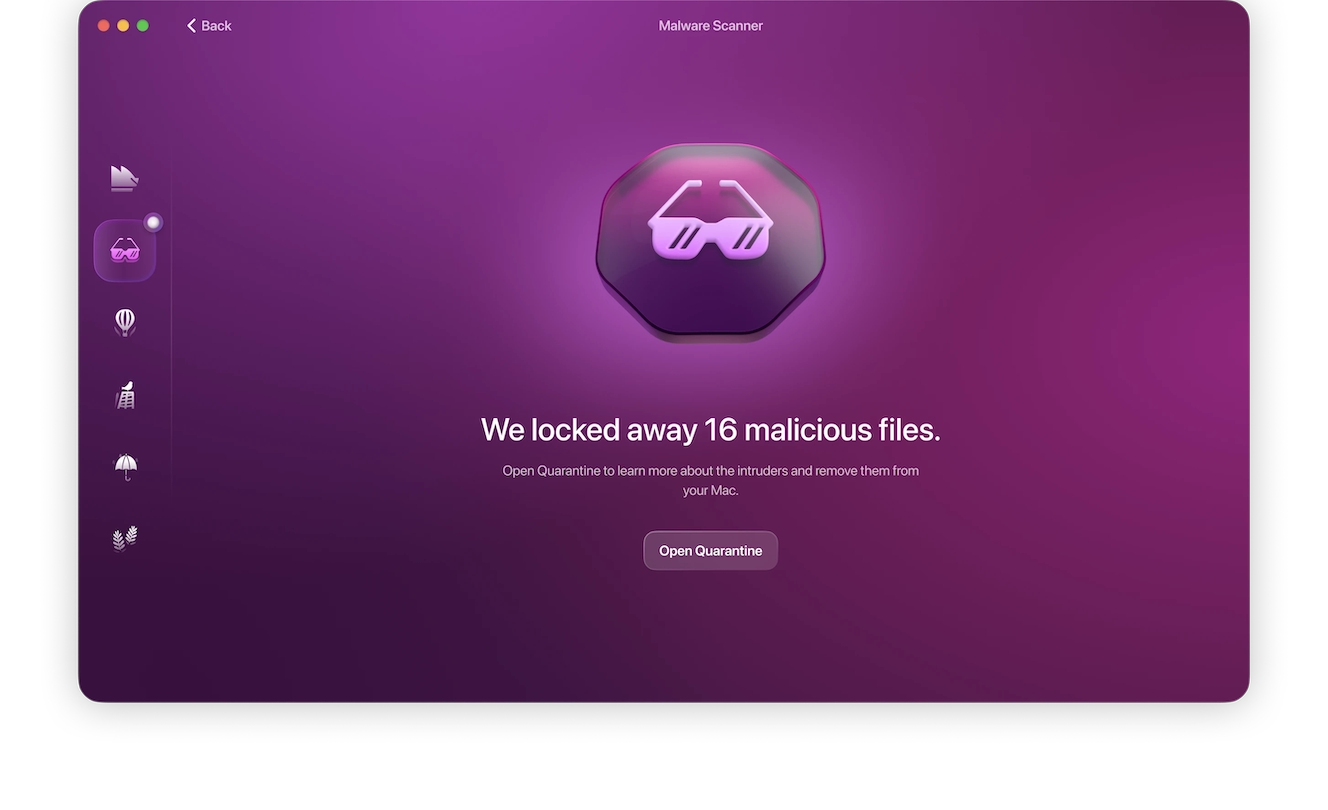
- Run a malware scan: Use Malware Scanner to check for any malware or spyware.
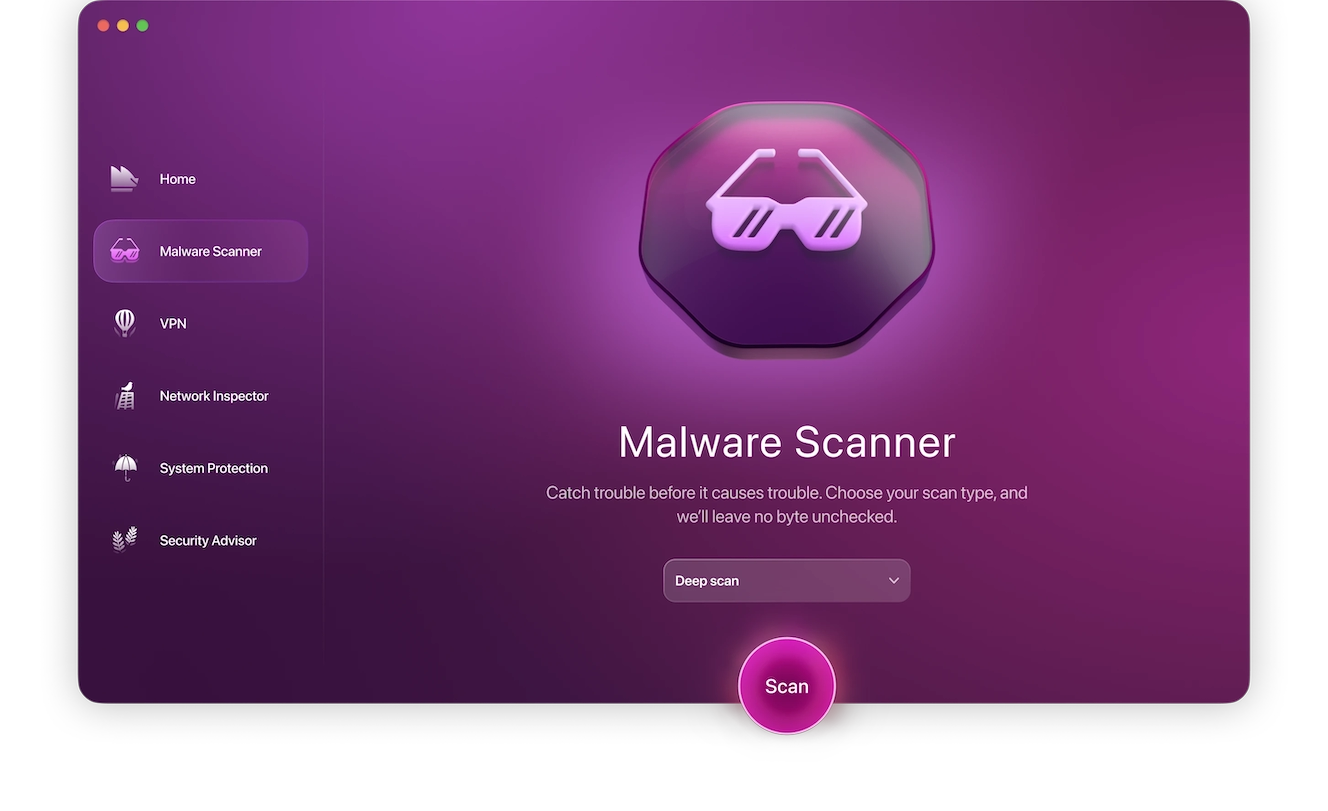
Sign up for a 7-day free trial of Moonlock to get access to the Deep Scan feature and remove any malware from your device:
- Open Moonlock. Navigate to the Malware Scanner tab on the left.
- From the drop-down menu, select Deep.
- Click Scan.
Moonlock will find and fully remove anything suspicious from your device, ensuring the scammers can’t access your data anymore.
How to report Apple scams
Reporting scams and phishing attempts helps Apple better detect them, protecting you and all other Apple users from similar schemes in the future. The more information you provide in your scam report, the better.
To report a scam to Apple, forward any suspicious emails or text messages along with any relevant supporting evidence to [email protected]. For suspicious FaceTime calls or links, email a screenshot to [email protected]. Report phone call scams directly to the FTC at reportfraud.ftc.gov or to your local law enforcement.
The cybersecurity landscape has seen a rapid increase in scams and malware targeting Apple users. Even Apple itself is not immune to impersonation attempts.
When the built-in legitimacy of Apple’s branding is mimicked, it can be leveraged to fool users into falling victim to dangerous scams. Fortunately, you can protect yourself by following a few simple guidelines. By using the information in this guide, you can ensure that you remain safe from Apple scams.
This is an independent publication, and it has not been authorized, sponsored, or otherwise approved by Apple Inc. Mac, iPhone, and Apple Pay are trademarks of Apple Inc.