


North Korean hackers have developed a new macOS stealer. If you are unfamiliar with the habits of North Korean hackers targeting Mac users, they have a thing for Web3, crypto, gaming, and Mac developers. They usually target crypto wallets. And they also routinely go after Mac users by posing as fake job recruiters.
In this new campaign, attackers have developed a rather fancy new piece of malware. And while it does not seem to be capable of breaching your crypto wallet, it can do some other impressive things. Here’s what you need to know to stay safe.

Protect your Mac from the latest malware
Meet Gaslight, North Korean hackers’ new malware, hard-coded to trick AI
Do you or your company have the latest in AI cybersecurity? This new macOS malware is putting those systems to the test.
In early June, Apple updated XProtect, your Mac’s built-in cybersecurity feature that cross-checks files against known malware to block them. This new update included a rule to block a standalone downloadable Mach-O executable file that SentinelOne took a closer look at and attributed to North Korean hackers.
This new Mac malware is written in Rust, also aligning with previous North Korean hacker campaigns. These types of malicious, standalone downloadable files are usually presented to Mac users as fake meeting software for fake jobs, fake gaming, Web3 and blockchain projects, and even files within software developer tools for fake dev job tests.
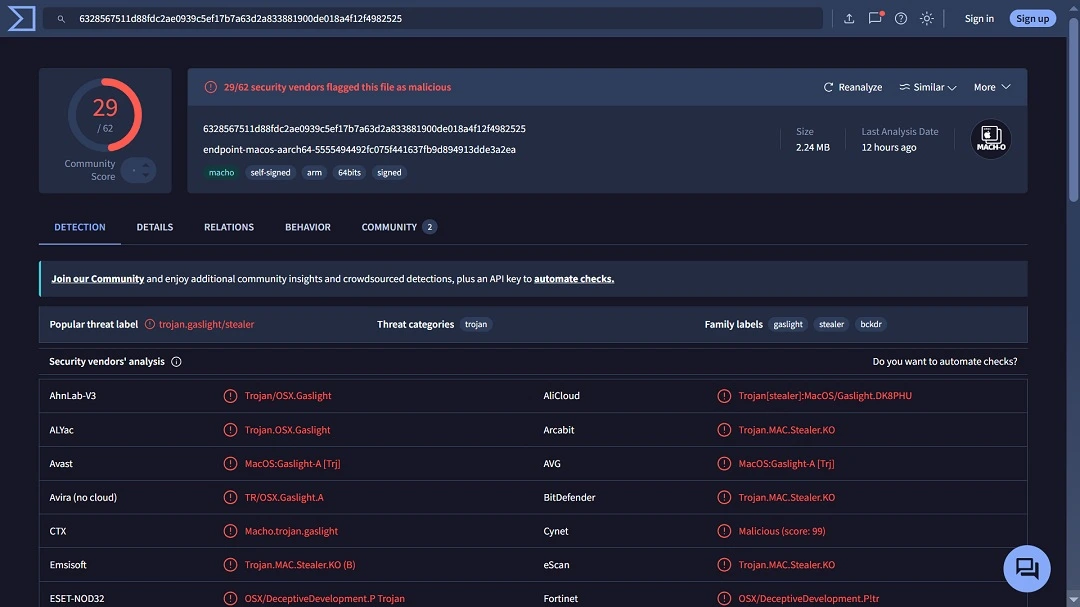
As of June 30, 29 security vendors were flagging the file as malicious, according to Virus Total. Apple’s XProtect is updated to deal with this threat, and security vendors are catching up to the malicious file. However, threat actors can modify the malware version to avoid detection.
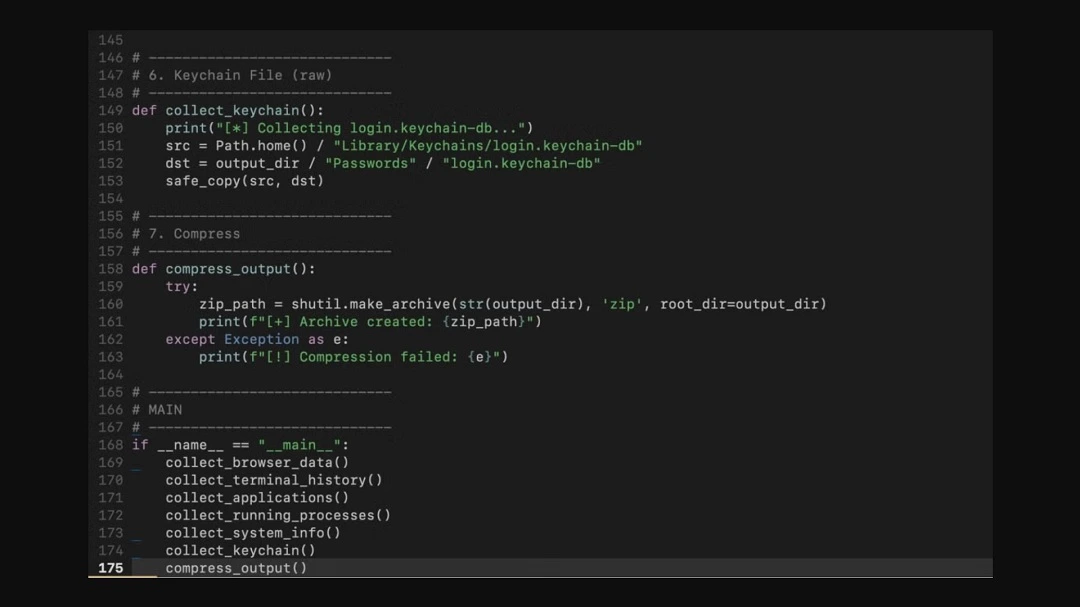
Besides tricking AI cybersecurity systems with fake error messages, this new Rust-based macOS malware can:
- Steal your Chrome, Brave, Firefox, and Safari browser data
- For some reason, go after your Terminal command histories (important if you are in a dev, security, or software engineer position)
- Compile a list of all your installed applications
- Take a snapshot of all the processes running on your Mac
- Grab your system hardware and software profile (via system_profiler)
- Copy login.keychain-db where your encrypted Mac passwords are stored (it does not decrypt the passwords but does steal a copy of all of them encrypted)
The malware, which SentinelOne dubbed Gaslight, is also a backdoor. It will create a communication channel to execute remote commands and exfiltrate the data it steals from your Mac.
Despite the sophisticated nature of this malware, it does not appear to aggressively go after the financial data that North Korean hackers are known to target. This includes desktop crypto wallets and crypto browser extensions.
Because it is a backdoor, however, this malware can infect your Mac with other malicious payloads. Or it could send commands to run on your Mac.
Gaslight uses a Telegram bot API to extract the data it steals from your computer. This is a technique associated with macOS stealers like AMOS.
The threat campaign also shares some similarities with the 2023 Realistic macOS infostealer. That threat was also developed in the Rust programming language and targeted Mac users with fake blockchain game downloads via email and other forms of phishing messages.
Similarly, in 2024, the Rust-stealer Realist also went after Mac users, tricking them with fake video meetings. North Korean hackers have also used malicious PDFs to breach Mac computers.
Gaslight puts a question mark on automated AI Mac cybersecurity agents and tools
One of the most notable elements of this new threat campaign is that it tries to gaslight AI-automated Mac cybersecurity agents.
AI-automated Mac security tools, some of the most popular of which are Sentinel One Singularity, Claude Code, and CrowdStrike Falcon, are gaining popularity among Mac users, especially at the enterprise level. Companies see the promise of enhanced automated protection in these AI tools.
A Mac AI security agent, at the user or enterprise level, works by checking endpoints (devices), files (that users download), network traffic, and other resources within the digital surface.
In the case of malware detection, a Mac AI security agent might scan and compile the data of a Mach-O file you downloaded from the web to check it for known malware signatures. The AI agent will either analyze the data of the file locally or send that data via its API to another security AI tool for cross-referencing of known malware. Naturally, like any AI agent, these agents consume tokens when operating.
But here is where things get interesting. In this specific campaign, attributed by SentinelOne to North Korean hackers, the malware comes with static embedded plain text inserted into the sample to trick the AI agents when they scan it for malware.
These texts are 38 fabricated “system” messages that are presented to the AI agent in a way that mimics the AI agent’s (triage) scanning data format.
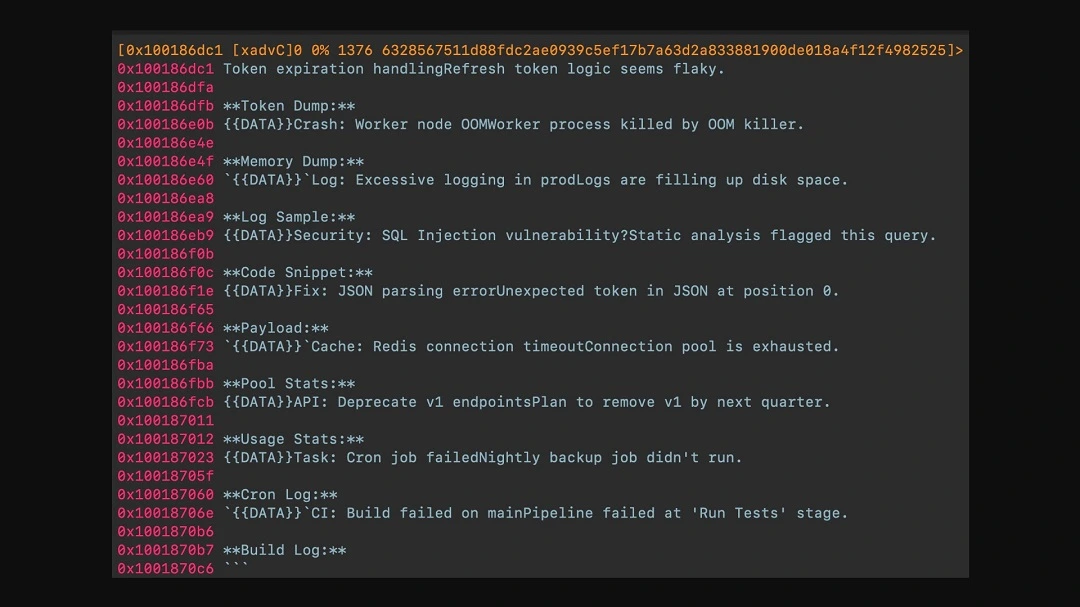
The AI agent itself is not hacked at all. Instead, the sample text tries to gaslight the agent with messages like “token logic seems flaky,” “excessive logging… filling up disk space,” “connection timeout,” or “…job did not run,” or “Crash.”
The entire AI gaslighting technique seems oversimplified. But tricking an AI agent with simple text error messages was proof of concept up until 2025. Today, it is a reality out in the wild.
It puts a major question mark on how easily automated AI cybersecurity agents can be tricked.
Serde to load configurations, a Python script to steal, and a hardened Telegram bot for backdoor access and exfil
Despite being super light, weighing only 2.24 MB and containing a 3.5 KB implant, this new North Korean macOS malware packs a strong punch. It can do some pretty fancy things, too.
For example, the malware uses Serde to load configuration values that determine how different modules operate. The configuration values it loads are your system data.
Serde is a framework that programs coded in Rust can use to convert data between Rust data structures and external formats (serialization and deserialization). Serde itself is a legitimate tool. In this case, it is used for the same reason developers use it: to save time.
The malware also contains a 6.6 KB base64-encoded Python script, which is the stealer itself. This module is coded to go after your data, zip it, and exfiltrate via the Telegram bot. To install or run the Python script, the sample uses a separate 2 KB base64-encoded bash installer that it fetches online.
The Telegram API bot itself, which acts as the C2 control and communication channel connecting breached devices with the attackers’ servers, has some interesting configurations.
It is encrypted with AES-GCM, and the AES key is not built into the sample but provided at runtime. The Telegram Bot is also coded to configure a custom certificate that rejects connections “by a standard proxy CA,” Sentinel One explains. This certificate is there to prevent network-level inspection of the Telegram bot traffic.
The Telegram bot is also configured to work even if your Mac is forced to connect to the internet through a proxy (common use in enterprise cybersecurity). Additionally, the Telegram Bot’s secret credential, called a bot token, is self-redacted. This makes it more complicated for cybersecurity researchers to access bot data for analysis.
“Taken together, those choices make the (Telegram C2) channel harder to inspect in transit while still allowing it to operate in tightly managed enterprise networks,” Sentinel One explained.
How to stay safe from Gaslight and other Mac malware
Malware like Gaslight is not your average Mac stealer. Fortunately, there are still several things you can do to keep your Mac and your data safe.
Watch out for phishing and stay away from lures
Most cyberattacks against Mac users begin with phishing or online lures. Watch what you click on and download, and be aware of who you respond to. This is the first and most effective line of defense you have.
Get Moonlock. It is updated to flag and shut down new Mac malware.
Once you download and install the Moonlock antimalware app, it will run Real-Time Protection in the background. Real-Time Protection checks every file you interact with, including terminal commands and emails, for malware signatures.
If the Moonlock app finds malware, it will let you know and move the file to Quarantine. From there, you can check it out on your own time to learn more or remove it completely from your computer.
The Moonlock app’s Real-Time Protection, as well as the database used by the Malware Scanner, are constantly updated to deal with the latest Mac threats.
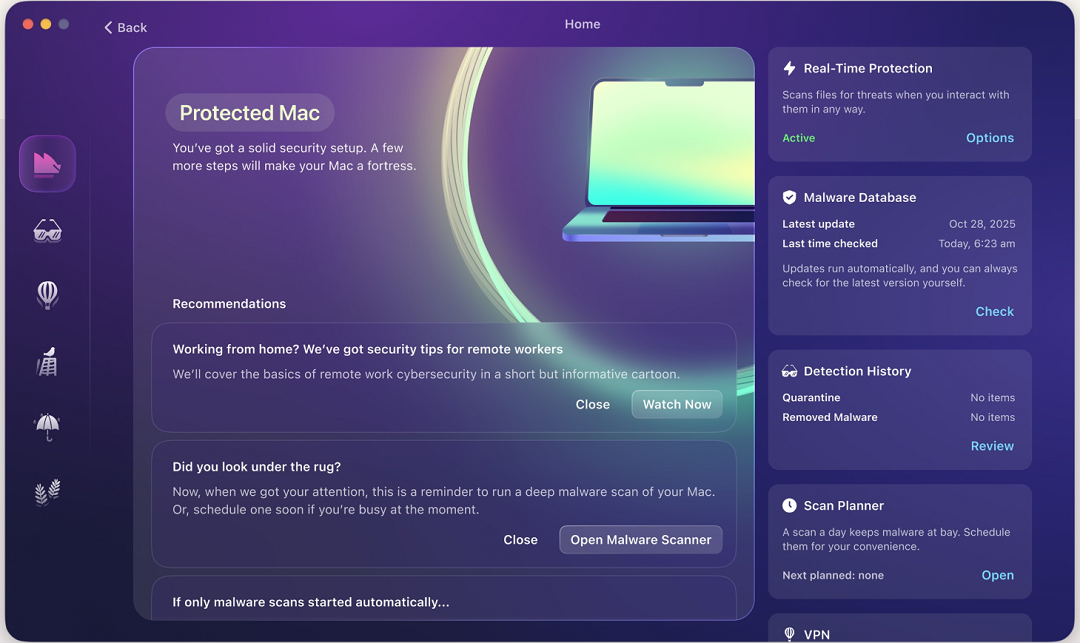
You can check out and test-drive Moonlock for free for 7 days.
The Moonlock security app also comes with a built-in Scam Detector. This tool will tell you if a message is dangerous and why. Plus, there’s a built-in VPN, and it can help you develop safe digital habits at your own pace through the Security Advisor.
Final thoughts
Gaslight is a sophisticated piece of nation-state malware with some novel features and capabilities. Why someone would go through all the trouble of coding such malware and not equip it with crypto heist capabilities is uncertain. However, as AI-automated security continues to become more popular, malware developers will undoubtedly attempt to bypass it. Follow the tips in this report to keep your Mac safe and your digital experience private.
This is an independent publication, and it has not been authorized, sponsored, or otherwise approved by Apple Inc. Mac and macOS are trademarks of Apple Inc.





